> ## Documentation Index
> Fetch the complete documentation index at: https://docs.airscale.io/llms.txt
> Use this file to discover all available pages before exploring further.
# Fetch business intent topics
> Find what topics a company’s employees are researching from its LinkedIn URL
**Note**: the required input to fetch company insights is a **LinkedIn company URL**
## 1. Select the enrichment
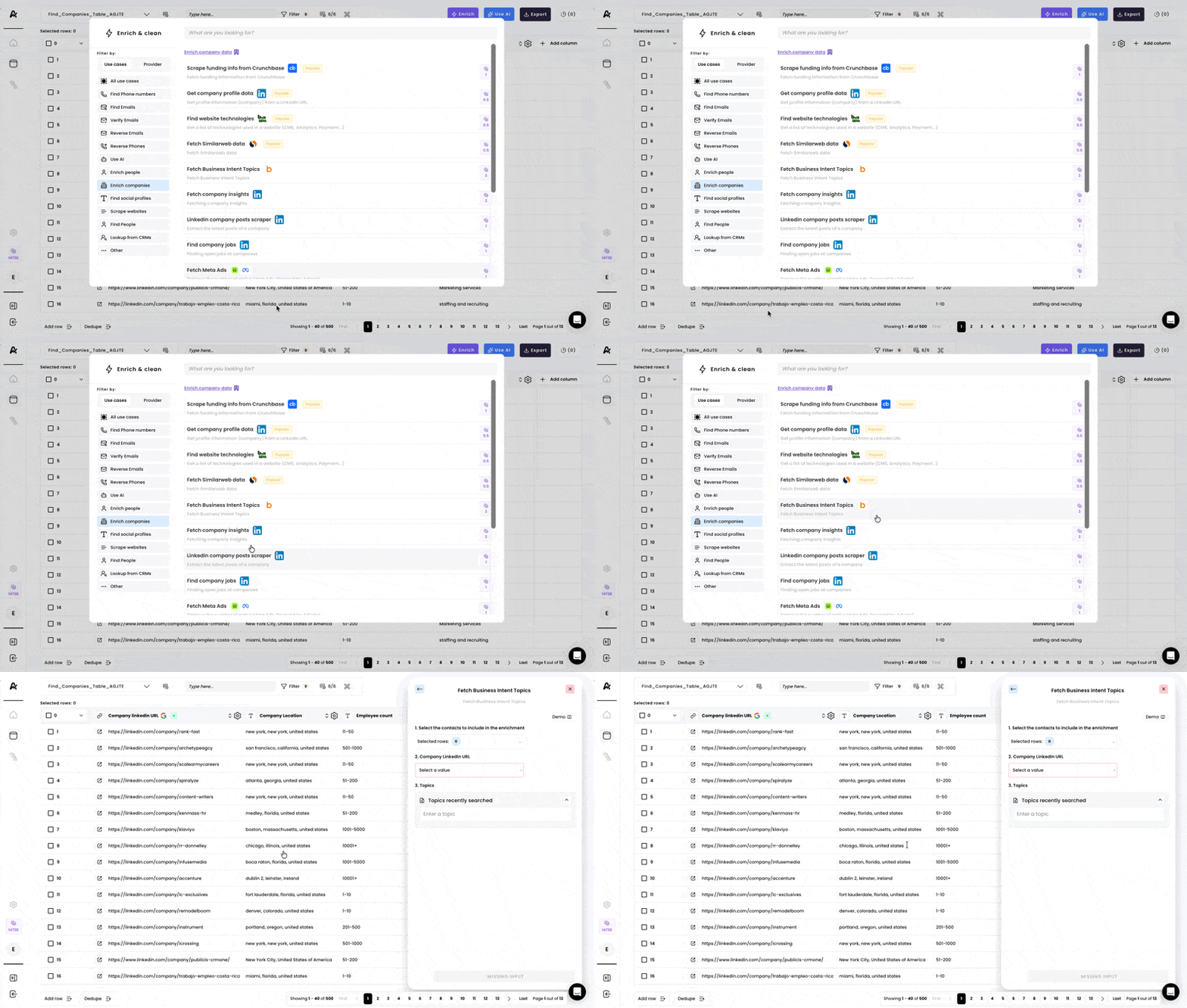 ## 2. Select rows & the correct input
Select the rows you would like to include in the enrichment and select the **"Company Linkedin URL"** column as an input.
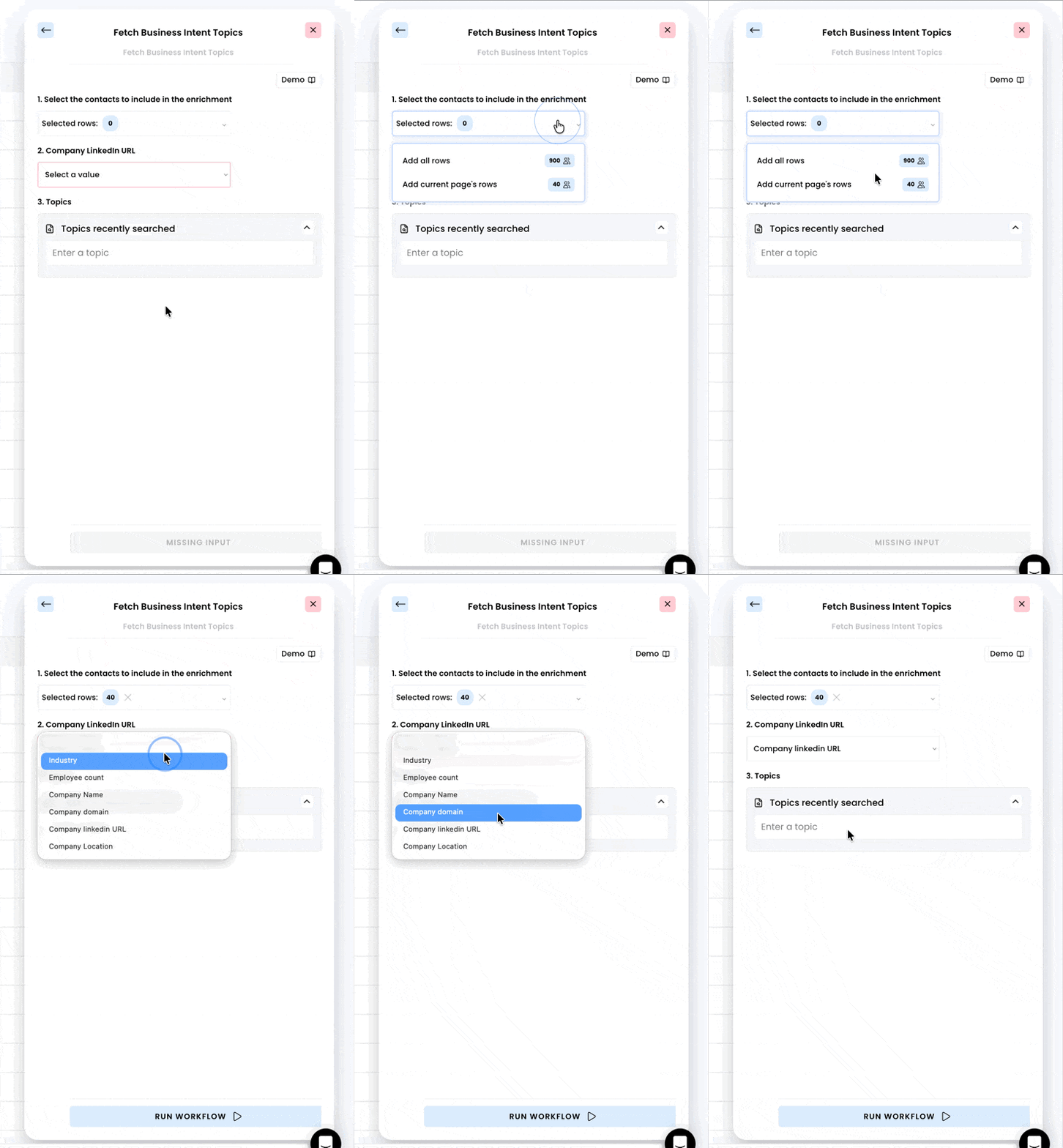
## 2. Select rows & the correct input
Select the rows you would like to include in the enrichment and select the **"Company Linkedin URL"** column as an input.
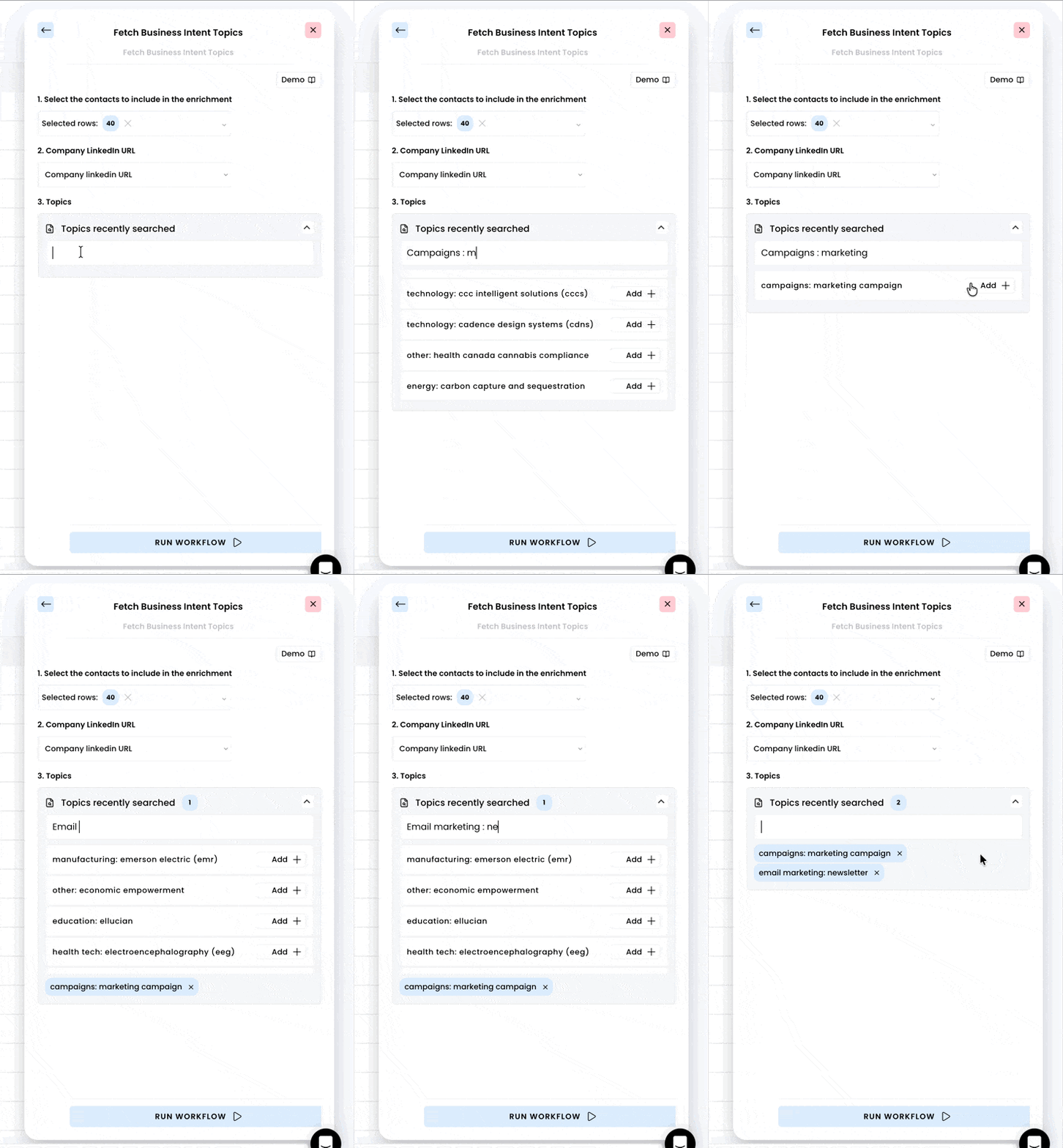
 ## 3. Enter the business topics
Type the business topics you would like to inquire and make sure to **press** **Enter** ↩︎ after typing so the suggestions appear.
Click on **"Add +"** to select the topics.
## 3. Enter the business topics
Type the business topics you would like to inquire and make sure to **press** **Enter** ↩︎ after typing so the suggestions appear.
Click on **"Add +"** to select the topics.
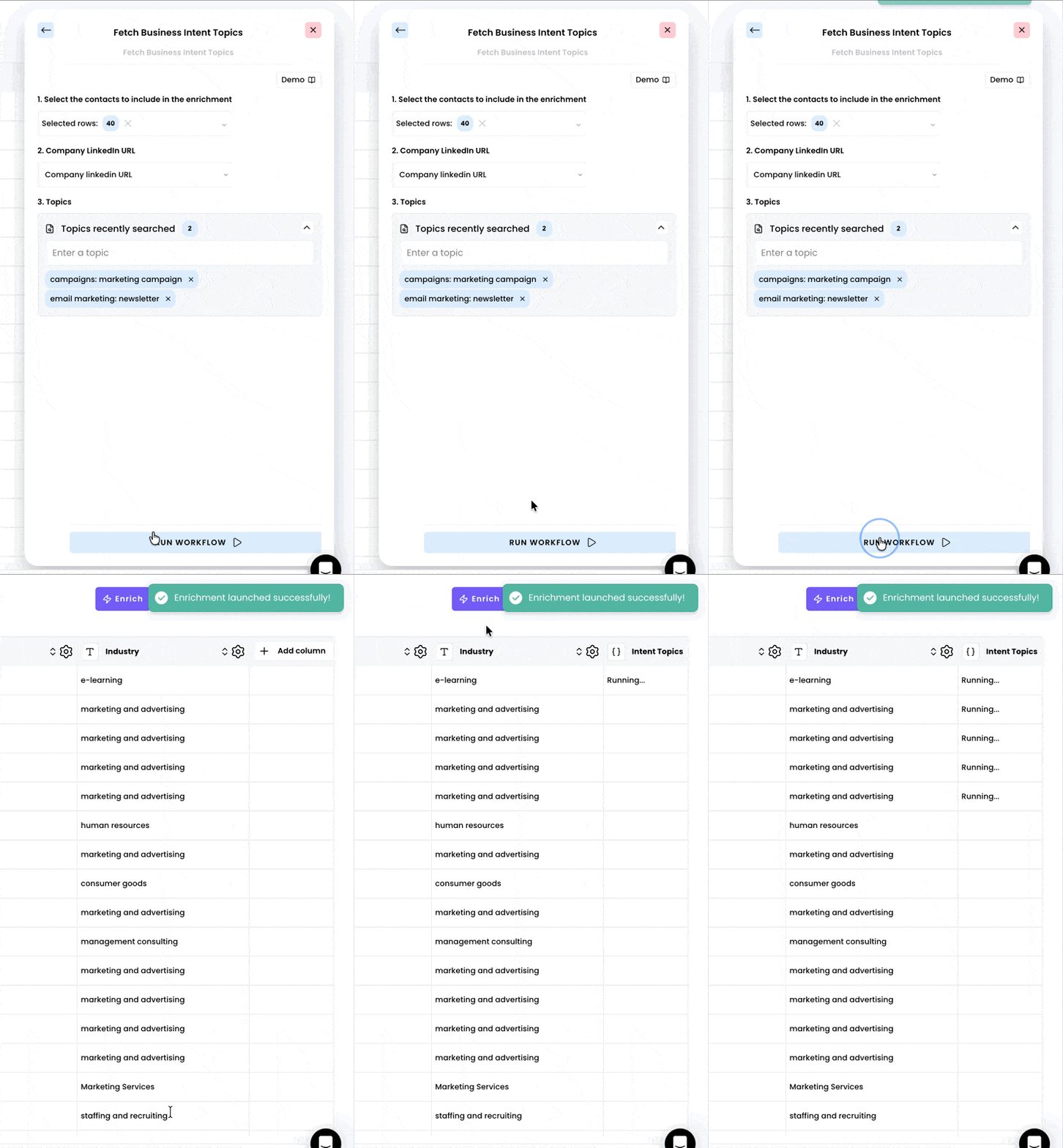
 ## 4. Run the workflow
As soon as you're done selecting the business topics, you can run the workflow.
## 4. Run the workflow
As soon as you're done selecting the business topics, you can run the workflow.
 ## 5. Access the results
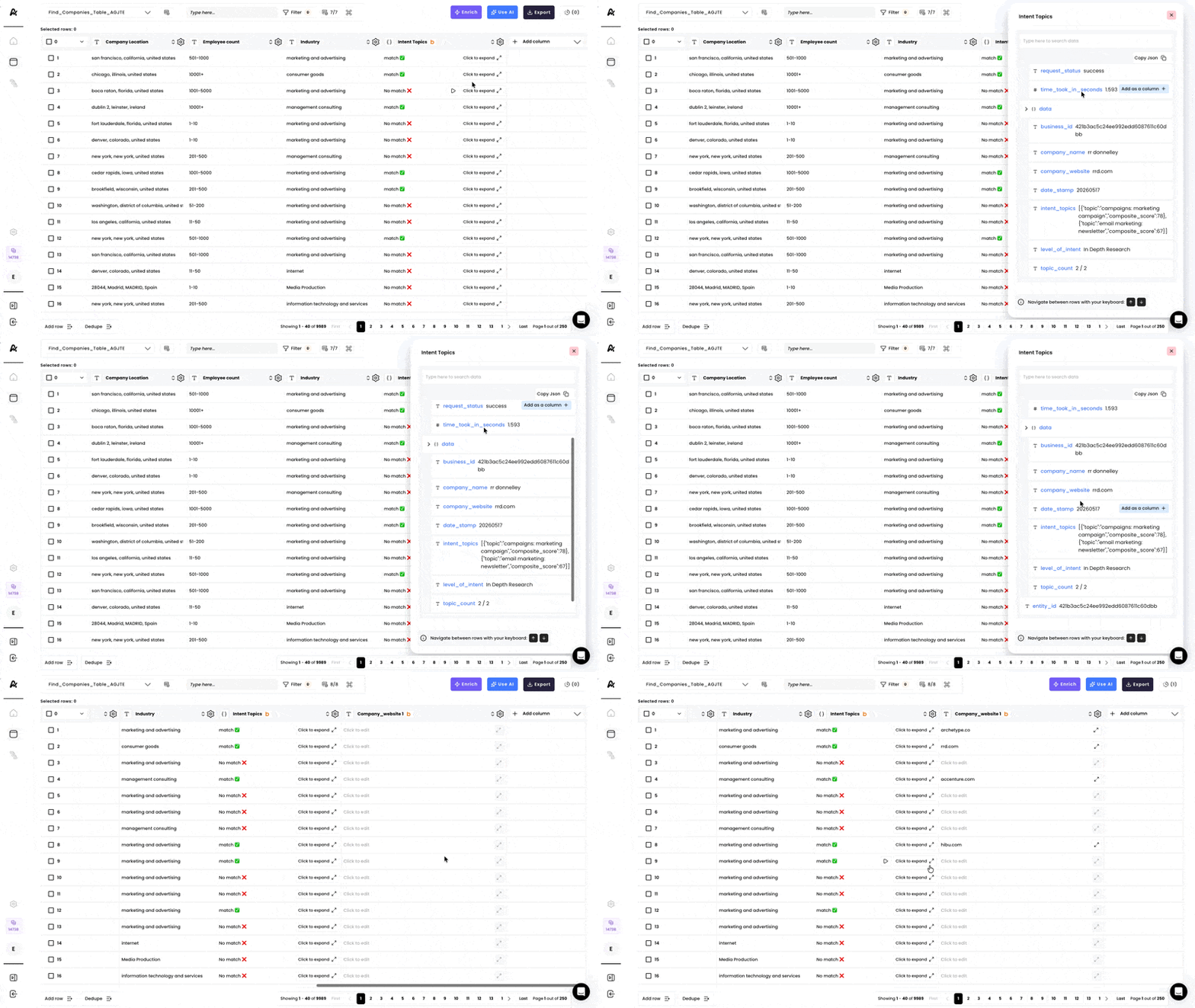
Acess you results once the enrichment has finished running. Click on **"Click to expand"** for more details about the search and add any field as a column by clicking on **"Add as a column".**
## 5. Access the results
Acess you results once the enrichment has finished running. Click on **"Click to expand"** for more details about the search and add any field as a column by clicking on **"Add as a column".**
 This documentation is built and hosted on [Mintlify](https://mintlify.com), a developer documentation platform.