> ## Documentation Index
> Fetch the complete documentation index at: https://docs.airscale.io/llms.txt
> Use this file to discover all available pages before exploring further.

# Fetch a company's Google ads

> Retrieve all active Google ads running for any company directly from Airscale's Google Ads enrichment

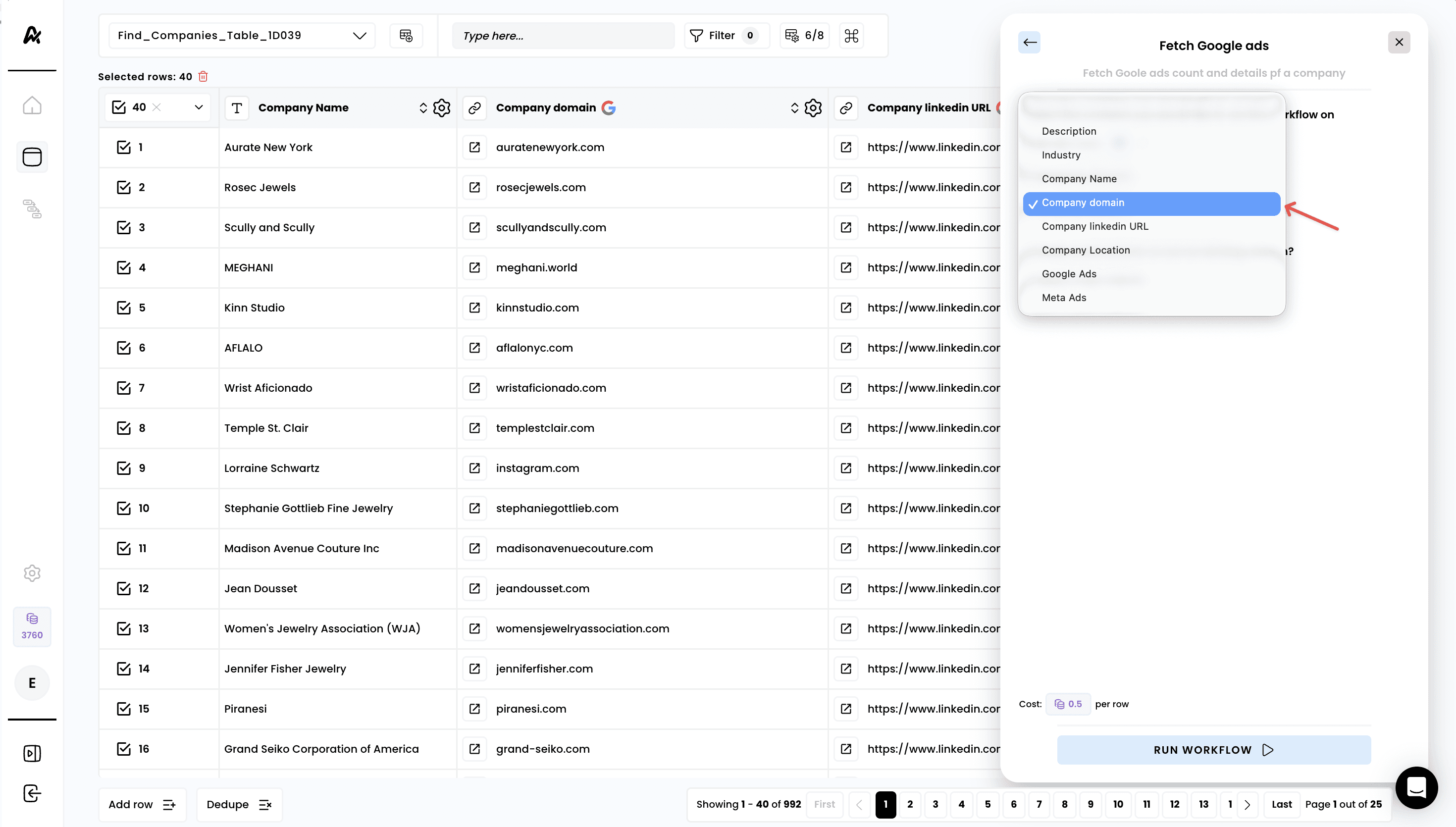
**Note**: the required input to leverage this enrichment is a **company domain**

## 1. Select the enrichment
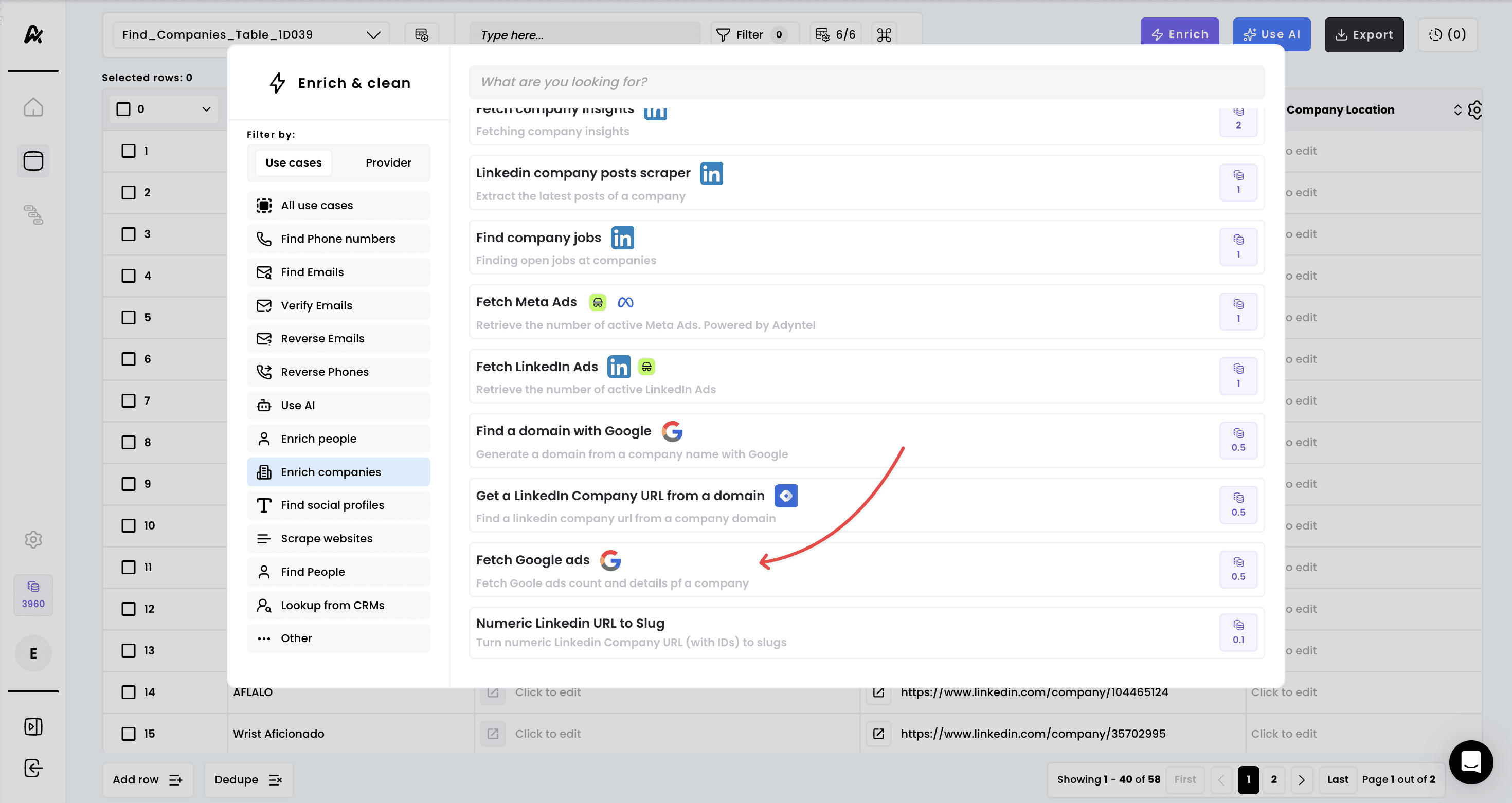
<img src="https://mintcdn.com/airscale/rvPtpUgeIpGkJ8m7/images/docs/FBSM8t3NXt9gEDsEquSxbJ1z9k.png?fit=max&auto=format&n=rvPtpUgeIpGkJ8m7&q=85&s=a8d286bc6e86597dd43dfad706950581" alt="Fetch a company's Google ads — 1. Select the enrichment" width="2940" height="1562" data-path="images/docs/FBSM8t3NXt9gEDsEquSxbJ1z9k.png" />

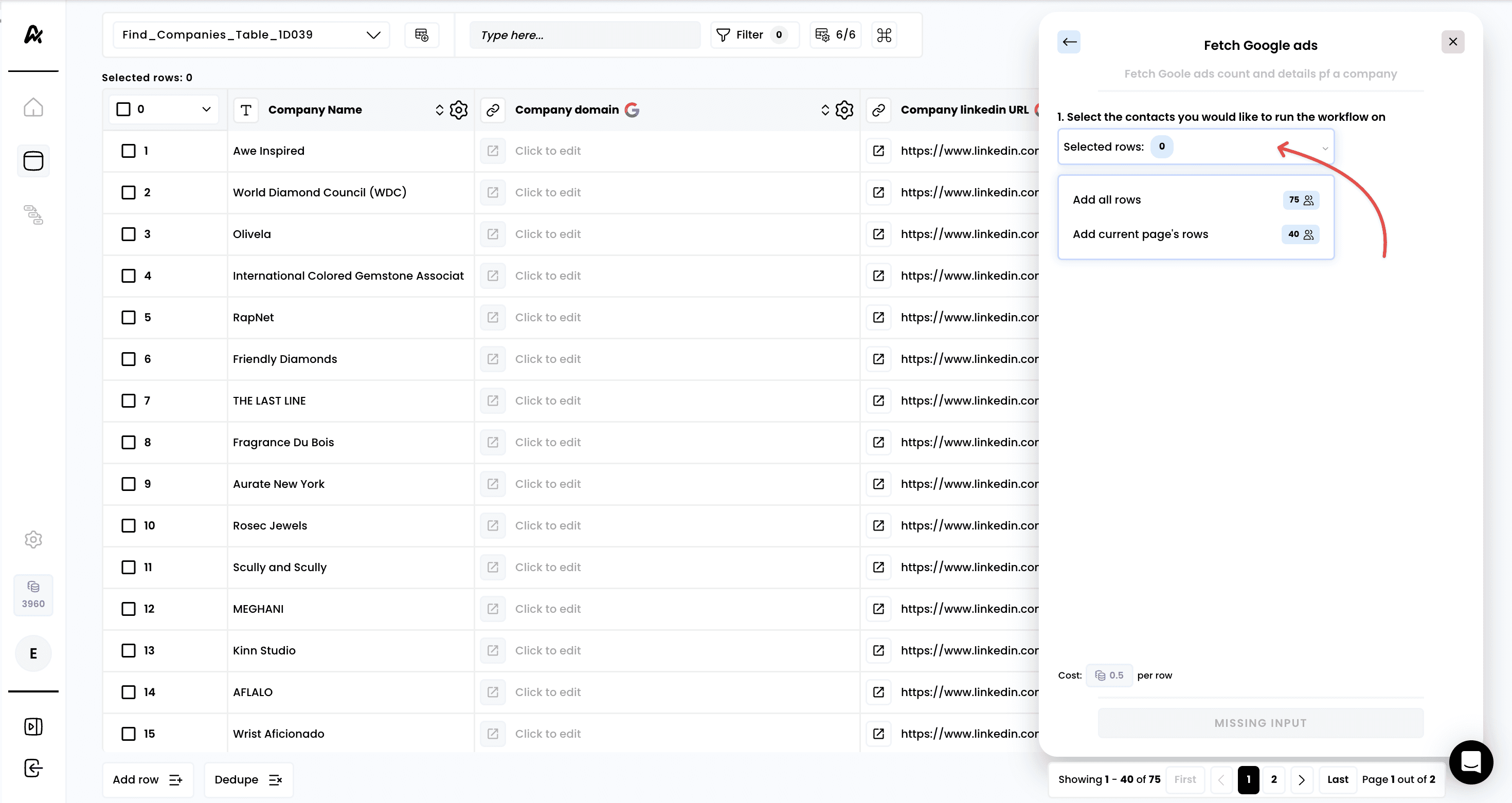
## 2. Select the rows to enrich

<img src="https://mintcdn.com/airscale/rvPtpUgeIpGkJ8m7/images/docs/6MNMW5Q03rVNPpumbHIKioZPujs.png?fit=max&auto=format&n=rvPtpUgeIpGkJ8m7&q=85&s=d6ded9b89a2b63716a4685b27fc22424" alt="Fetch a company's Google ads — 2. Select the rows to enrich" width="2940" height="1562" data-path="images/docs/6MNMW5Q03rVNPpumbHIKioZPujs.png" />

## 3. Select the correct input

<img src="https://mintcdn.com/airscale/aXid-NqBkne9U7iH/images/docs/MDUZ4RPvi2IVe2d78iAHeE4YE.png?fit=max&auto=format&n=aXid-NqBkne9U7iH&q=85&s=112046d39b87ae96a9a2c673be05d4ab" alt="Fetch a company's Google ads — 3. Select the correct input" width="2940" height="1670" data-path="images/docs/MDUZ4RPvi2IVe2d78iAHeE4YE.png" />

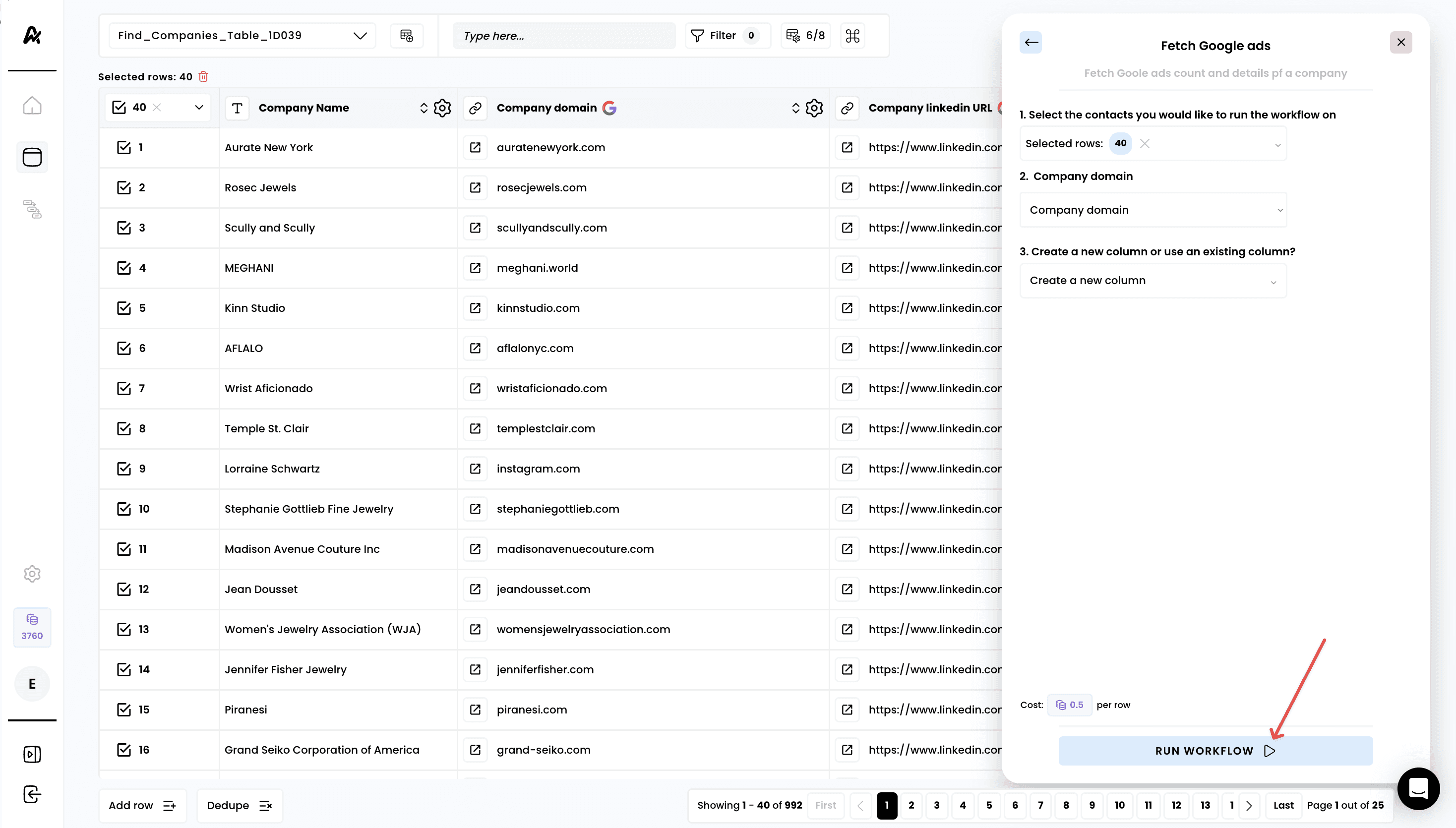
## 4. Run the workflow

<img src="https://mintcdn.com/airscale/aXid-NqBkne9U7iH/images/docs/Sg1VzaO9esTyNzjVzhaYhdyV4.png?fit=max&auto=format&n=aXid-NqBkne9U7iH&q=85&s=6d1daa30eb9dd2c67151be8d018ad7b4" alt="Fetch a company's Google ads — 4. Run the workflow" width="2936" height="1670" data-path="images/docs/Sg1VzaO9esTyNzjVzhaYhdyV4.png" />

## 5. Access the results

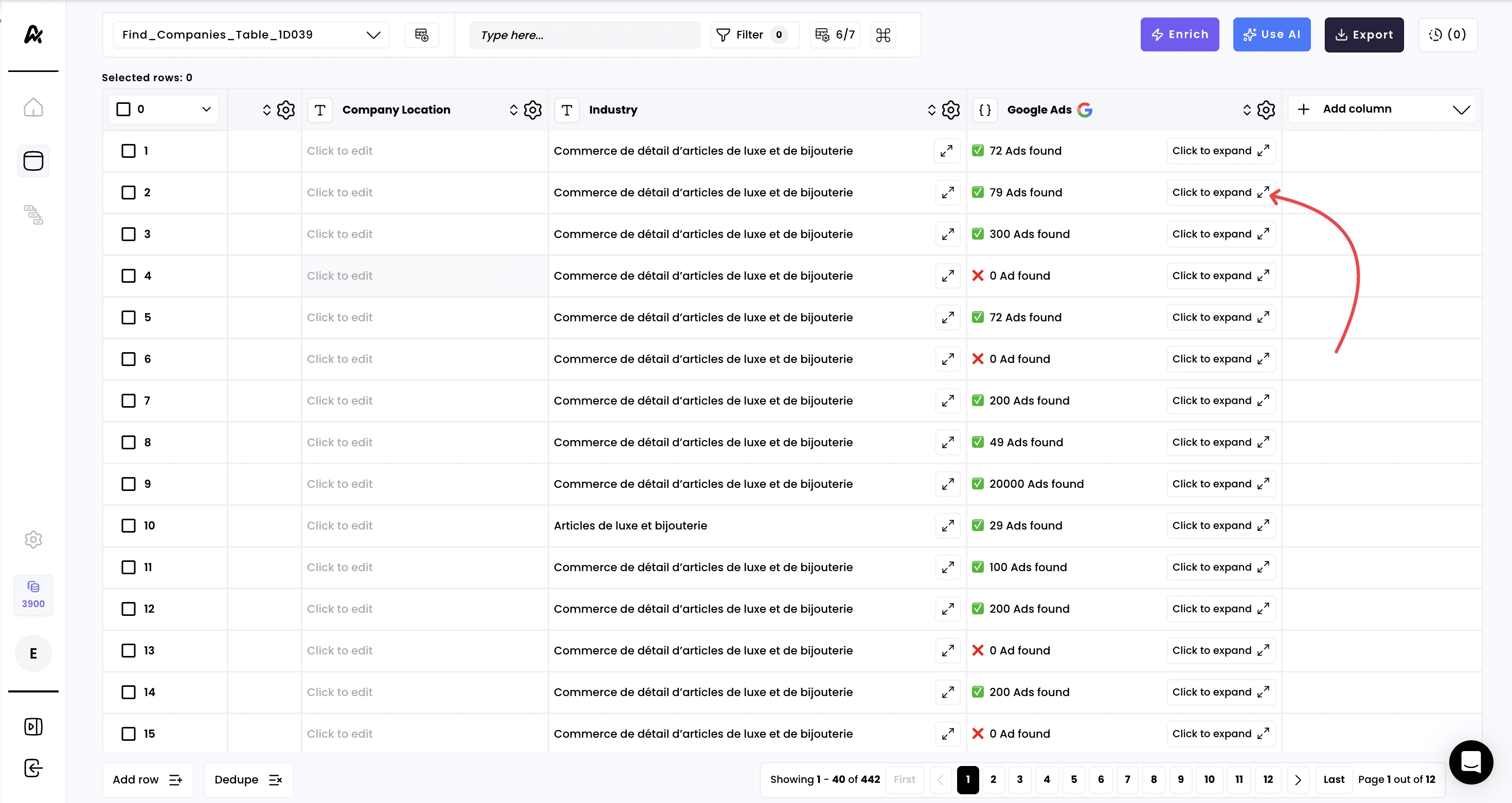
**A new column is created automatically with the number of active ads.** If you click on **“Click to expand”** you can access the detail of the enrichment
<img src="https://mintcdn.com/airscale/aXid-NqBkne9U7iH/images/docs/ZfMRrEDdJpbm9Krkr6RyqpRNV7o.png?fit=max&auto=format&n=aXid-NqBkne9U7iH&q=85&s=946213e534d5f86e9505ec7ef4a02bbb" alt="Fetch a company's Google ads — 5. Access the results" width="2940" height="1562" data-path="images/docs/ZfMRrEDdJpbm9Krkr6RyqpRNV7o.png" />

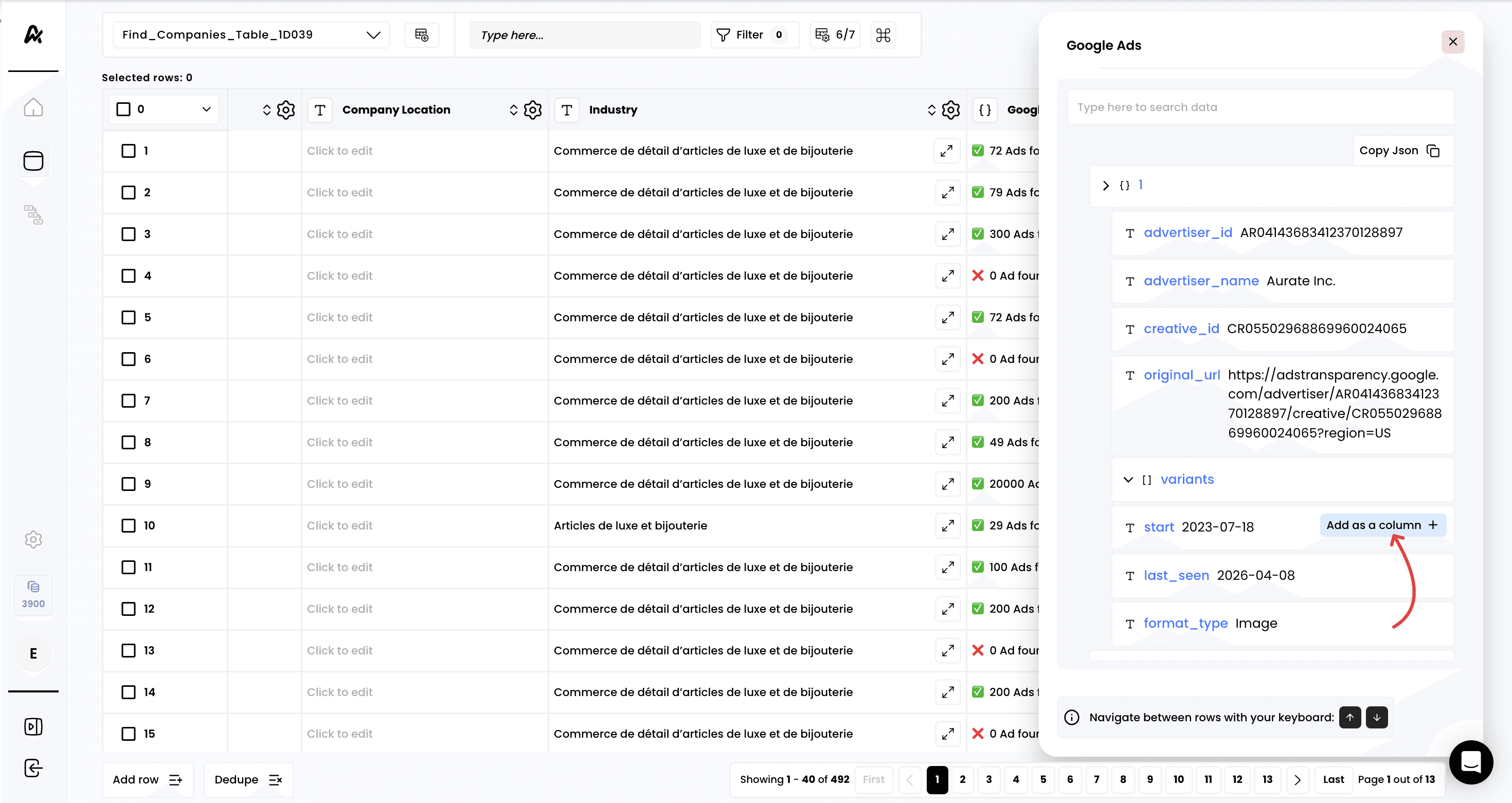
## 6. Add columns for any data points retrieved
<img src="https://mintcdn.com/airscale/aXid-NqBkne9U7iH/images/docs/hm5B2mHegNuUzOUlHxldswiyomw.png?fit=max&auto=format&n=aXid-NqBkne9U7iH&q=85&s=8be1ccf94762d701ab87079851440aae" alt="Fetch a company's Google ads — 6. Add columns for any data points retrieved" width="2940" height="1562" data-path="images/docs/hm5B2mHegNuUzOUlHxldswiyomw.png" />


This documentation is built and hosted on [Mintlify](https://mintlify.com), a developer documentation platform.