> ## Documentation Index
> Fetch the complete documentation index at: https://docs.airscale.io/llms.txt
> Use this file to discover all available pages before exploring further.

# Find LinkedIn profile data from an email

> Retrieve a LinkedIn profile URL and data from any email using Airschool's Reverse Email enrichment

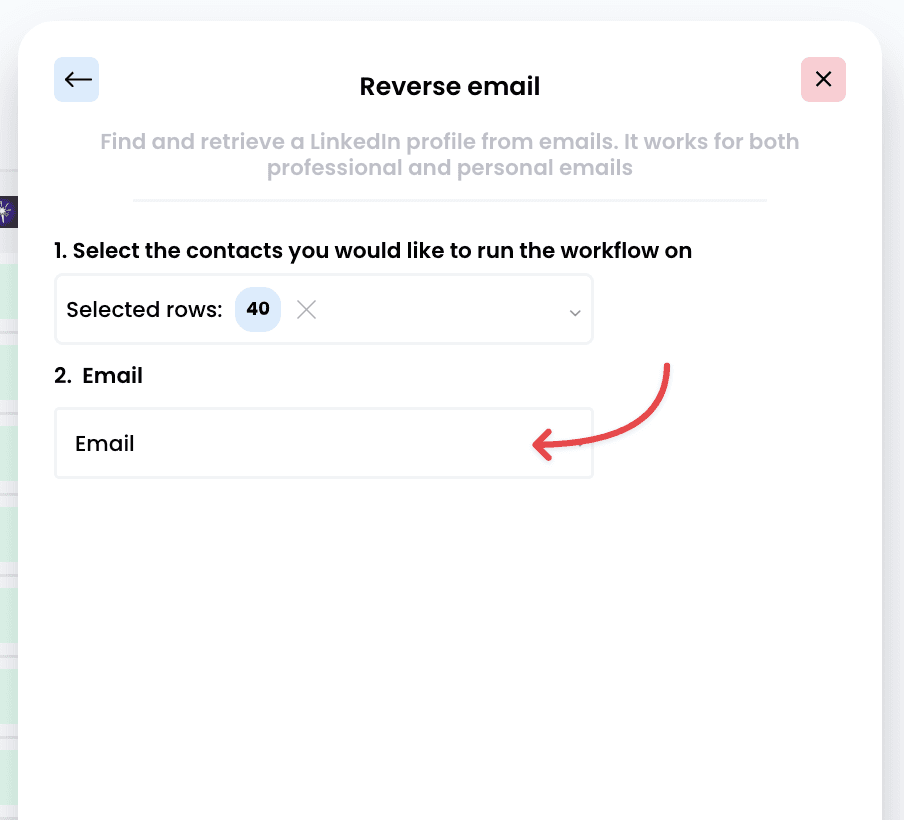
**Note**: the required input to leverage this enrichment is an email

## 1. Select the enrichment
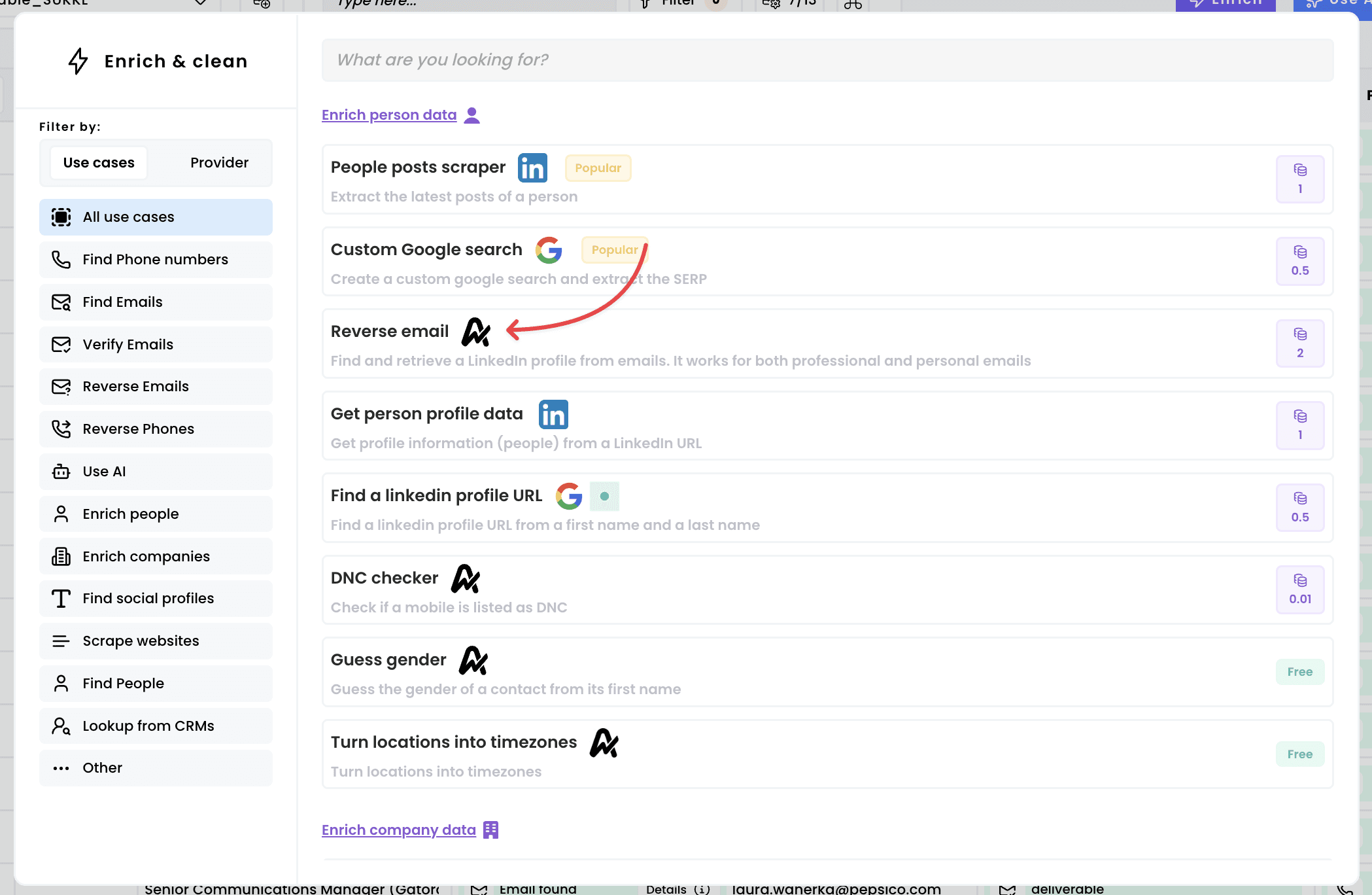
<img src="https://mintcdn.com/airscale/aXid-NqBkne9U7iH/images/docs/gGyiflMoLYvo7awOfo4fBVyFvWo.png?fit=max&auto=format&n=aXid-NqBkne9U7iH&q=85&s=f133f3698ce282b9abb7cc687db08eb7" alt="Find LinkedIn profile data from an email — 1. Select the enrichment" width="2098" height="1368" data-path="images/docs/gGyiflMoLYvo7awOfo4fBVyFvWo.png" />

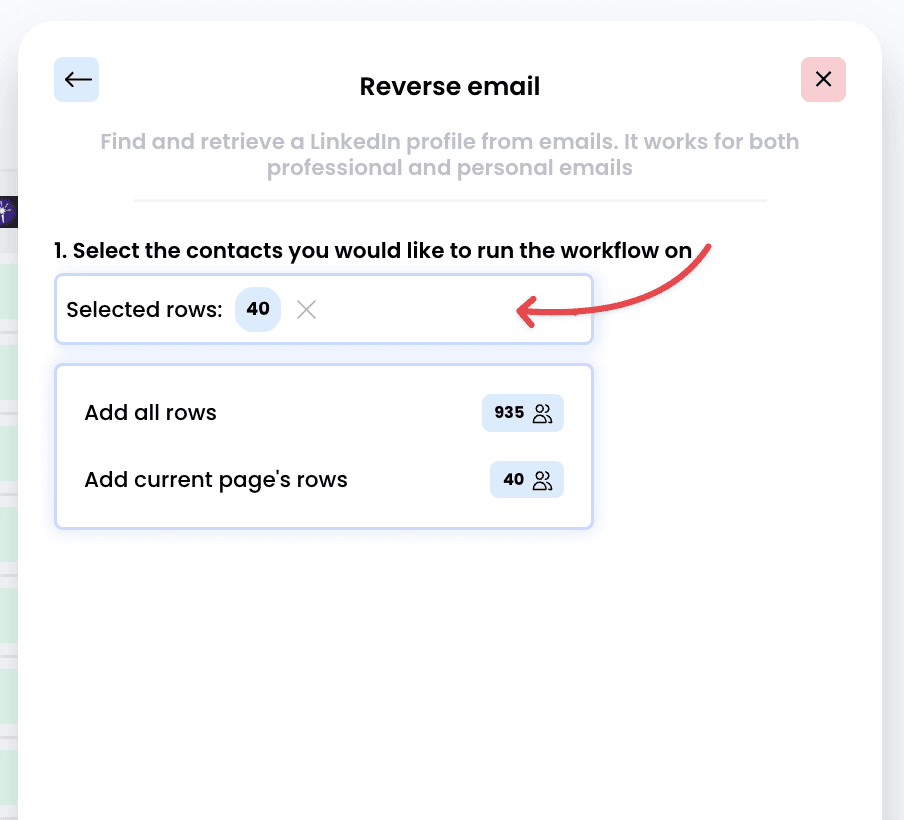
## 2. Choose which rows to enrich

<img src="https://mintcdn.com/airscale/k5o-AmvNyj_yzMcY/images/docs/yoYXpUM0QzAztoP3WhFCoQ0QHzI.png?fit=max&auto=format&n=k5o-AmvNyj_yzMcY&q=85&s=6d6a1764703789755f00e0694f268335" alt="Find LinkedIn profile data from an email — 2. Choose which rows to enrich" width="904" height="820" data-path="images/docs/yoYXpUM0QzAztoP3WhFCoQ0QHzI.png" />

## 3. Select the right input

<img src="https://mintcdn.com/airscale/aXid-NqBkne9U7iH/images/docs/fjT7WvKTI55o6z2TfRQfcTD6Q.png?fit=max&auto=format&n=aXid-NqBkne9U7iH&q=85&s=0ae63bf55e00acdb7e9f6a543917c914" alt="Find LinkedIn profile data from an email — 3. Select the right input" width="904" height="820" data-path="images/docs/fjT7WvKTI55o6z2TfRQfcTD6Q.png" />

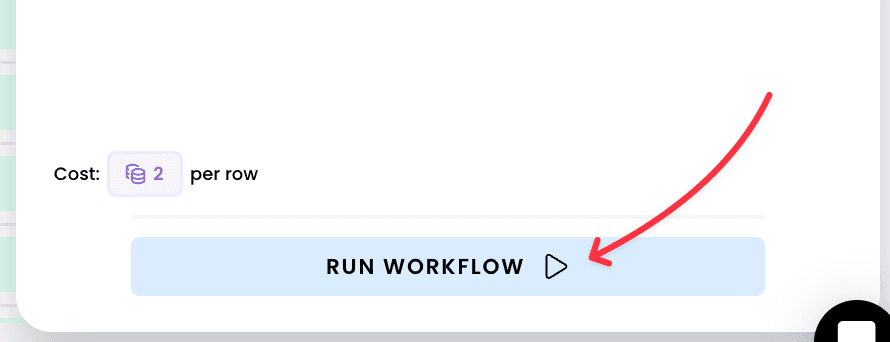
## 4. Run the workflow

<img src="https://mintcdn.com/airscale/rvPtpUgeIpGkJ8m7/images/docs/2tk8oFd2rtvxlmheWtZmfRgv3Zk.png?fit=max&auto=format&n=rvPtpUgeIpGkJ8m7&q=85&s=e86f01c8d487d12eb59766b7a95d686a" alt="Find LinkedIn profile data from an email — 4. Run the workflow" width="890" height="342" data-path="images/docs/2tk8oFd2rtvxlmheWtZmfRgv3Zk.png" />

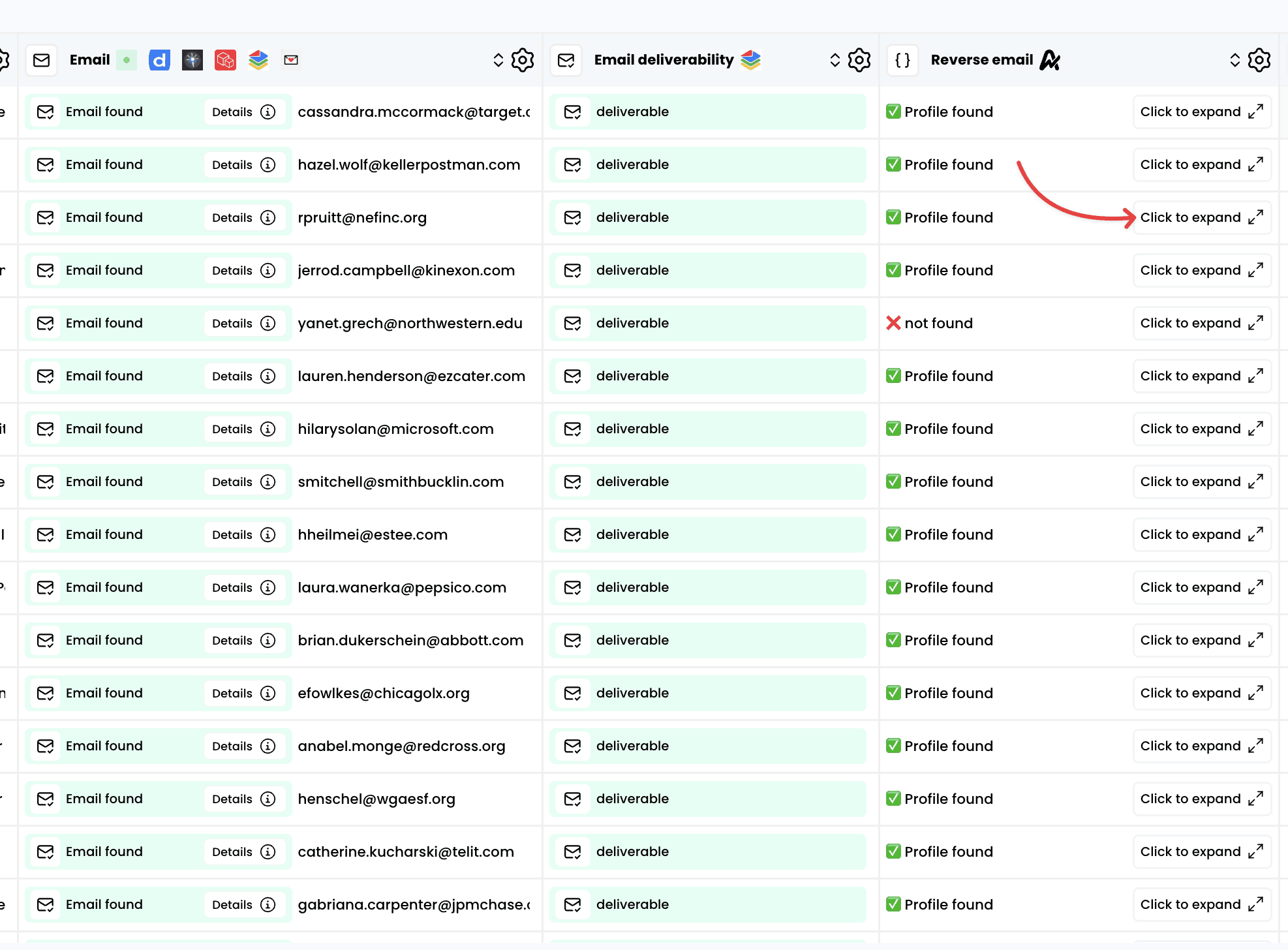
## 5. Access the results

<img src="https://mintcdn.com/airscale/rvPtpUgeIpGkJ8m7/images/docs/EEsqf0vVJBO44ZPY4c6Jw3Fn70.png?fit=max&auto=format&n=rvPtpUgeIpGkJ8m7&q=85&s=2c67112ba70e99b7c6799a280ed7e072" alt="Find LinkedIn profile data from an email — 5. Access the results" width="1974" height="1456" data-path="images/docs/EEsqf0vVJBO44ZPY4c6Jw3Fn70.png" />

## 6. Add columns for any data points you want about the profile
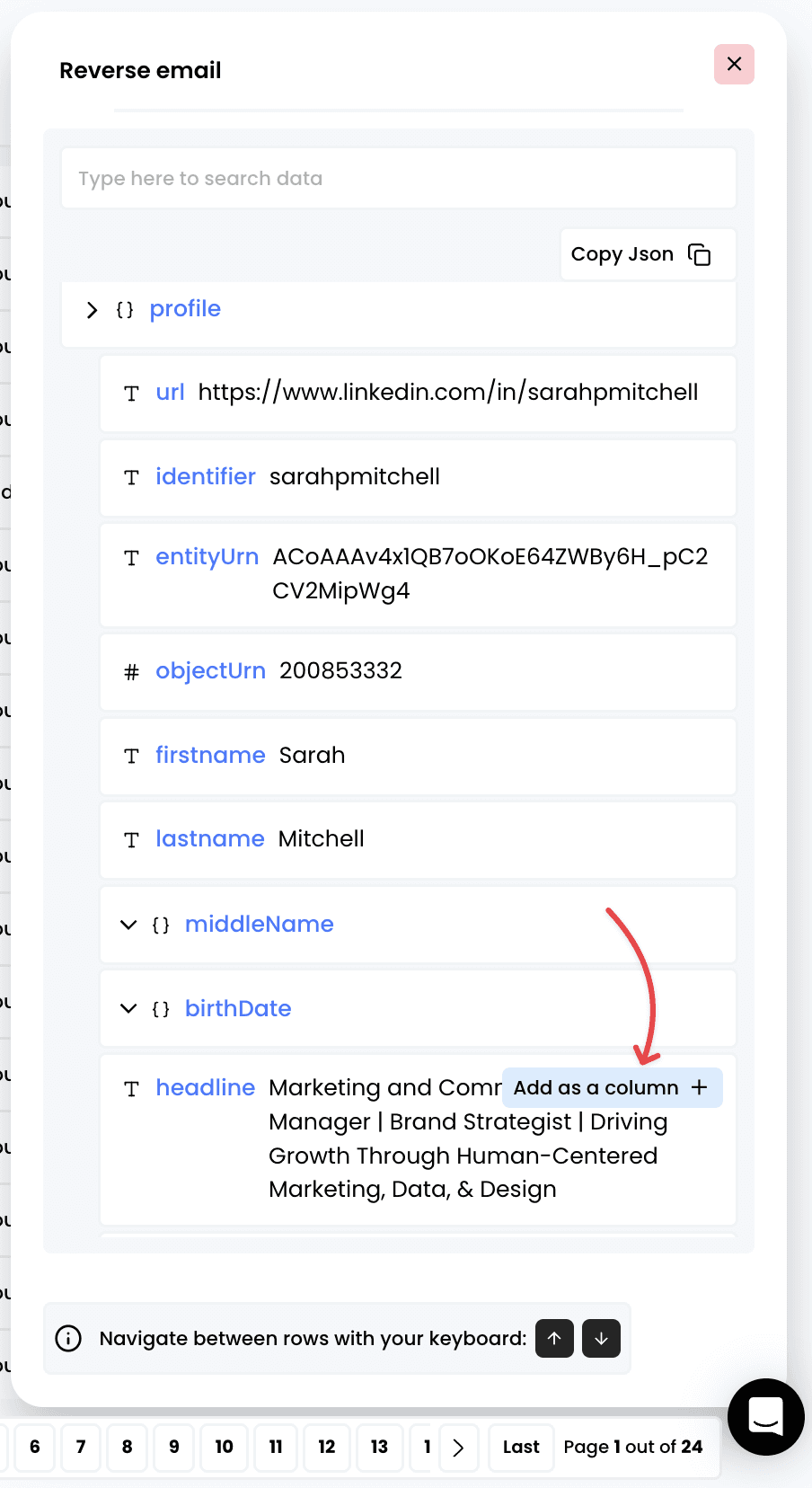
<img src="https://mintcdn.com/airscale/rvPtpUgeIpGkJ8m7/images/docs/EvpvnyewTKUTbzlhKaVBZp7w8.png?fit=max&auto=format&n=rvPtpUgeIpGkJ8m7&q=85&s=9fc285daedc6cb6c13499e6eedb9be6f" alt="Find LinkedIn profile data from an email — 6. Add columns for any data points you want about the profile" width="904" height="1656" data-path="images/docs/EvpvnyewTKUTbzlhKaVBZp7w8.png" />