Build lists
Scrape Apollo
Transform your Apollo searches into organized prospect lists in Airscale. This feature extracts leads directly from any Apollo search results, saving you from manual exports and building comprehensive contact databases in minutes
Note:
If you are on a Free plan with Apollo, we will only be able to scrape up to 125 results maximum (5 pages)
If you are on a paid plan, limit your search to be < 2500 results
0. Prerequisites
An active Apollo subscription (or Free plan)
A completed search in Apollo with your target prospects
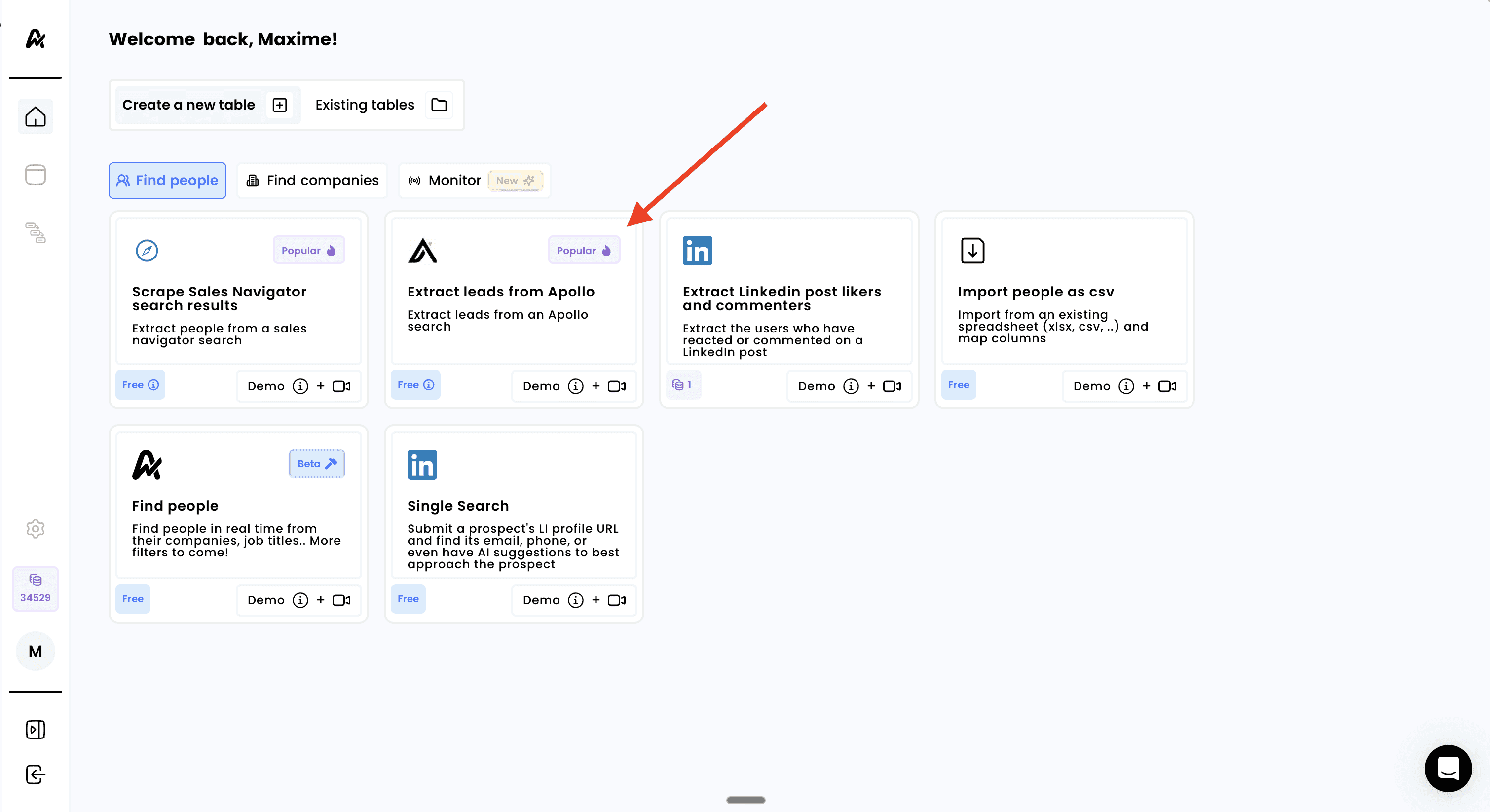
1. Click on "Scrape leads from Apollo"
Log into your Airscale account
Select "Extract leads from Apollo" from the available options in the "Find People" tab
2. Copy your search URL
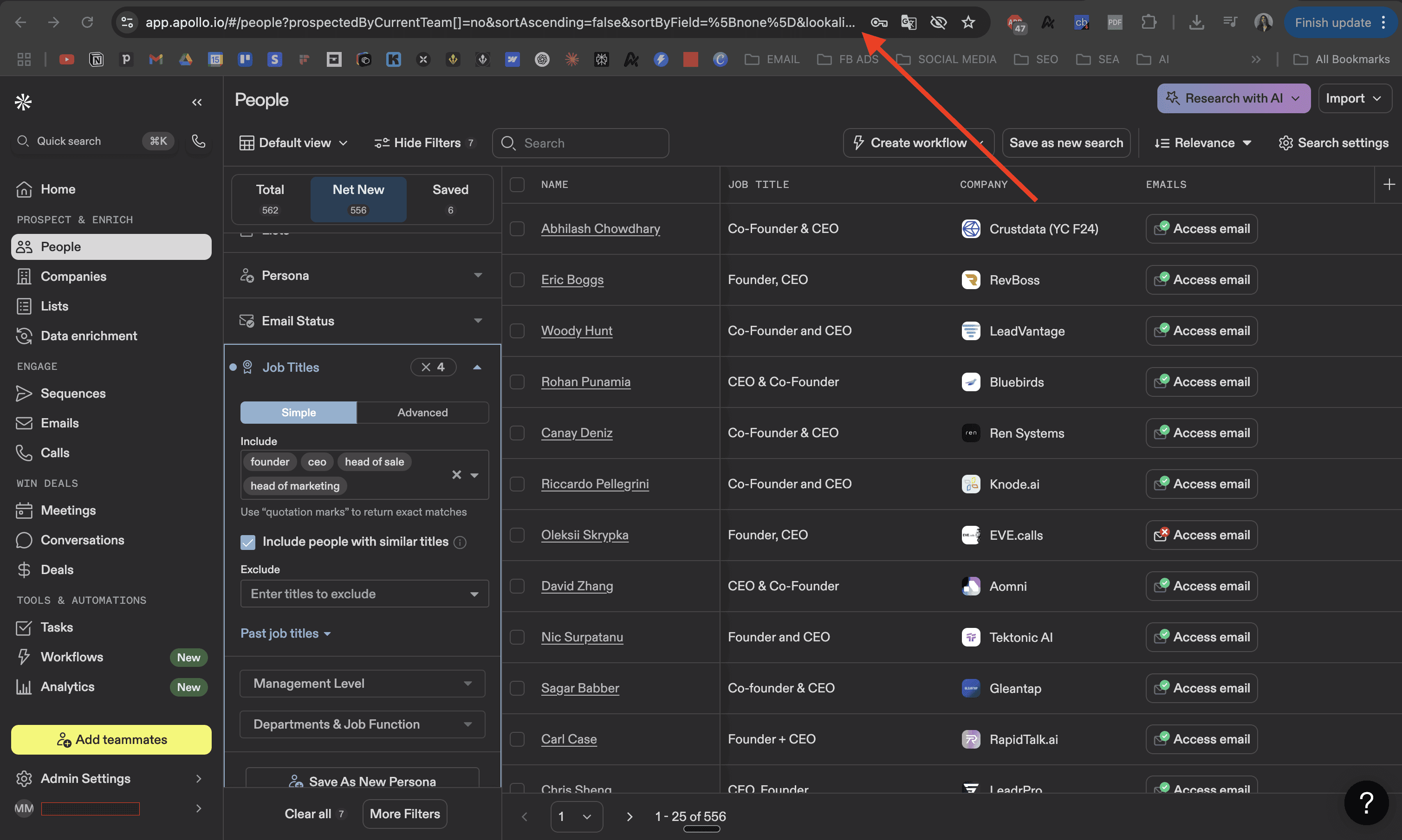
Before setting up extraction, prepare your Apollo search:
Go to Apollo.io and log into your account
Navigate to the People search section
Apply your target filters:
Job titles and seniority levels
Company size and industry
Location and other demographics
Technologies used (if available in your plan)
Copy the search URL from your browser's address bar after applying all filters
3. Connect your Apollo account
In the Airscale extraction setup:
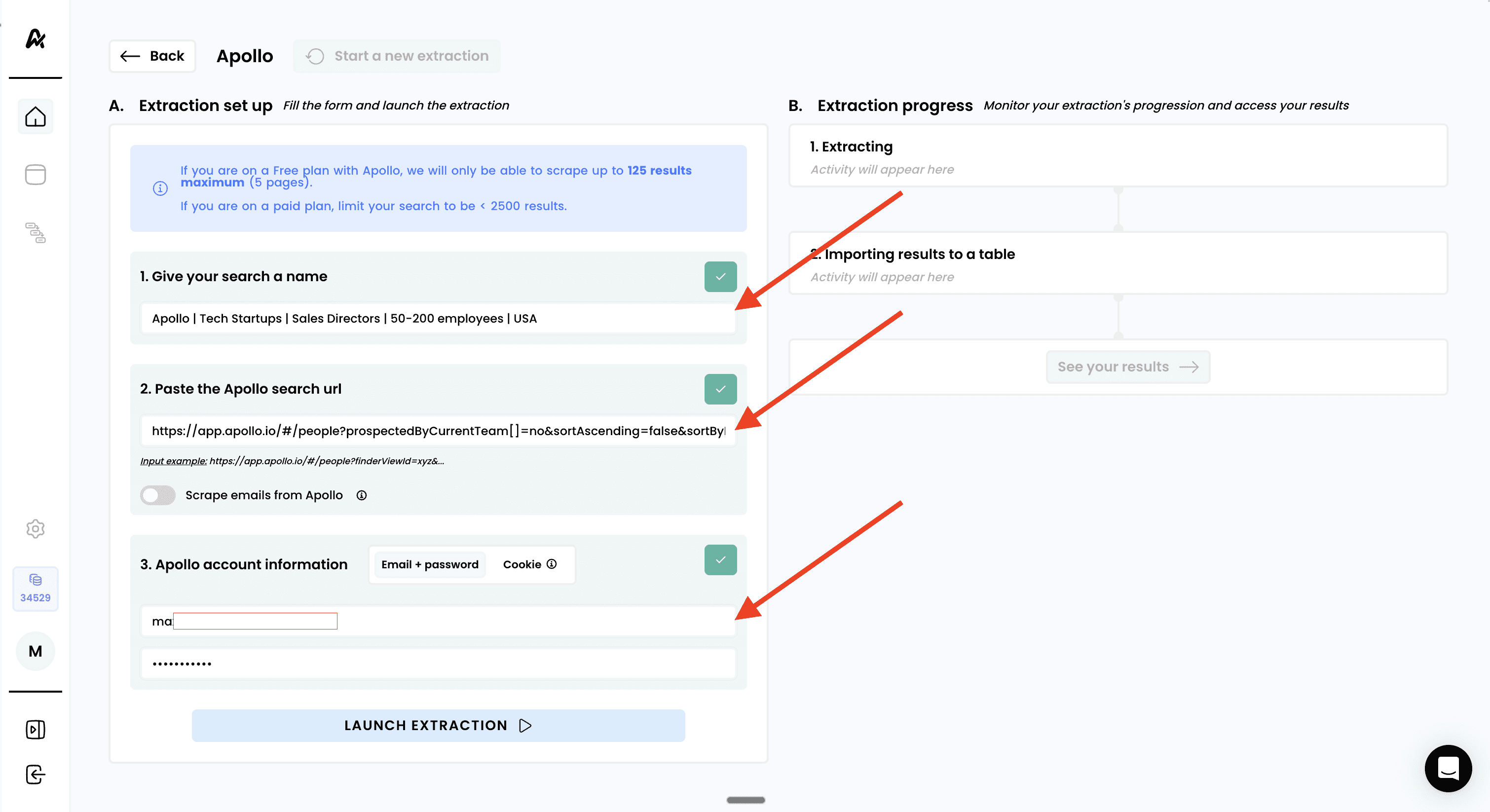
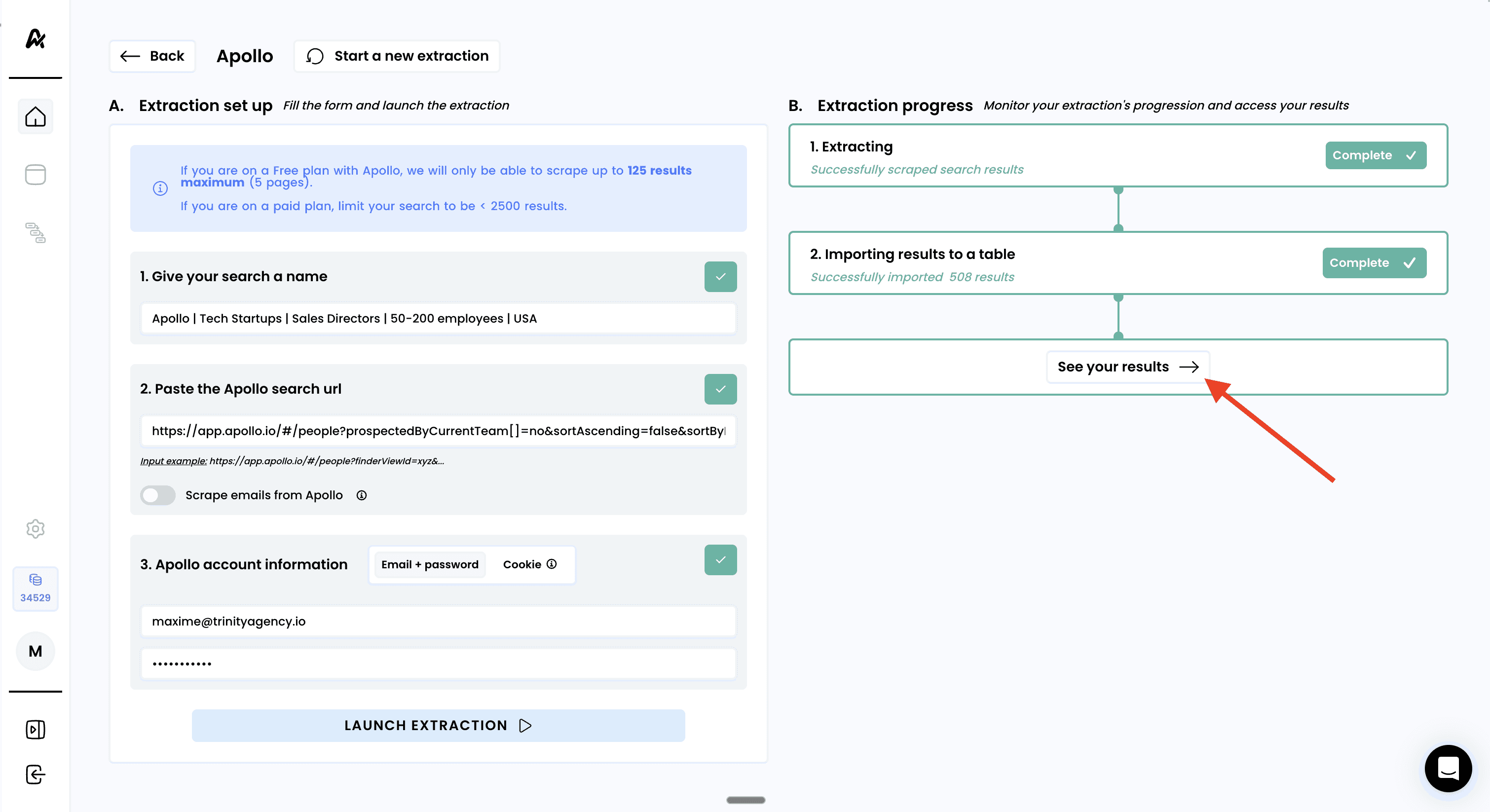
Give your search a descriptive name
Example: "Apollo | Tech Startups | Sales Directors | 50-200 employees | USA"
Use clear naming to identify the search later
Paste your Apollo search URL
Copy the full URL from your browser
Paste it into the URL field in Airscale
Authenticate your Apollo account
Enter your Apollo login credentials when prompted
This allows Airscale to access your search results securely
Your credentials are used only for this extraction and not stored
Note: Airscale uses your credentials only to access the specific search results and doesn't store your login information
4. Launch the extraction
Review your extraction settings to ensure everything looks correct
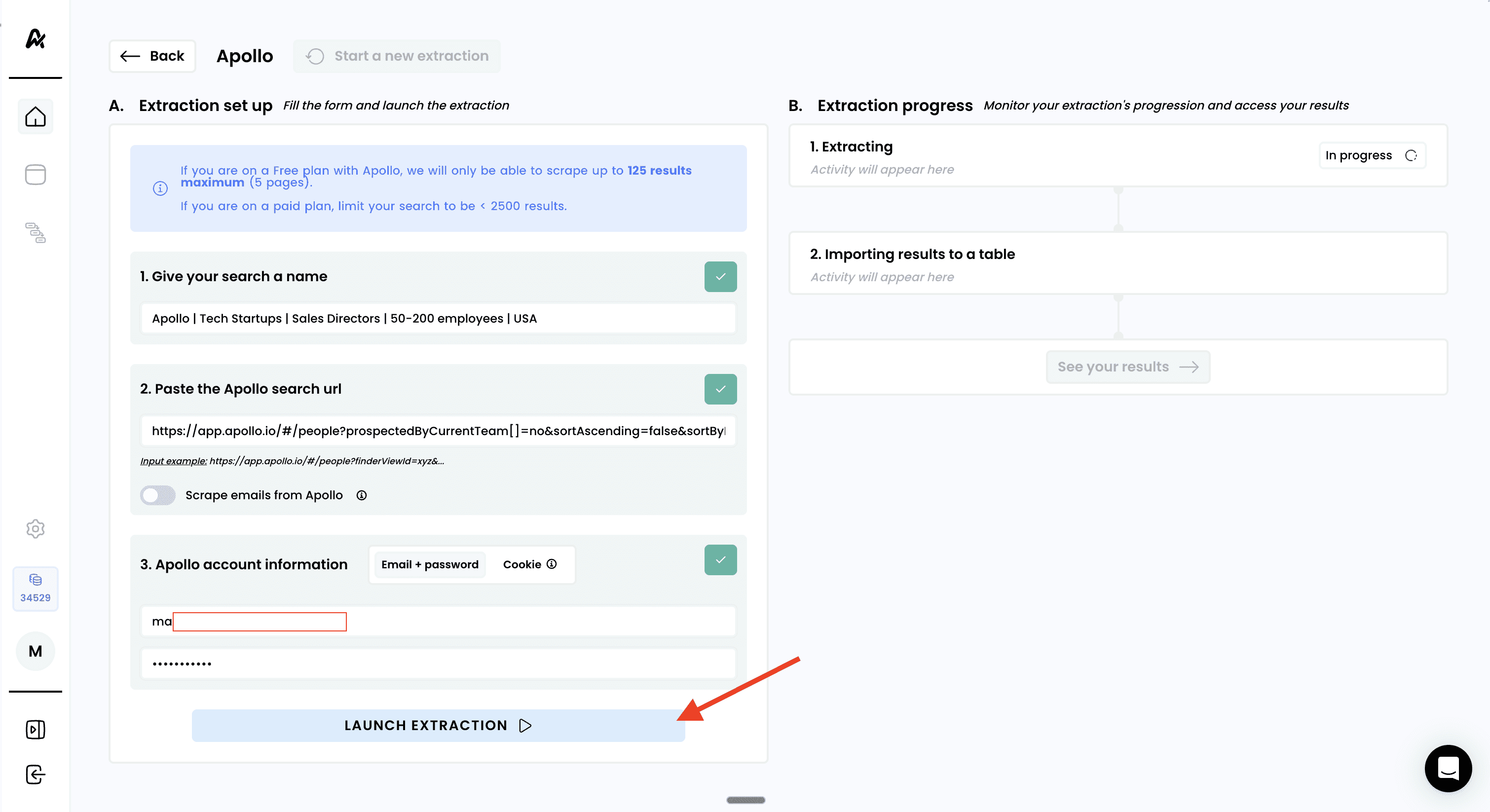
Click "LAUNCH EXTRACTION" to begin the scraping process
Monitor the progress in real-time:
Validating your Apollo account access
Extracting leads (progress updates will appear)
Processing and importing results
Wait for completion — extraction time varies based on search size
Note: larger searches (>2500) may take longer to process. It can take up to 90 minutes for very large searches. You can safely navigate away and return later to check progress
5. Access your results
Click "See your results" to view your new prospect table:
Need help? Contact Support
Questions? Contact Sales