

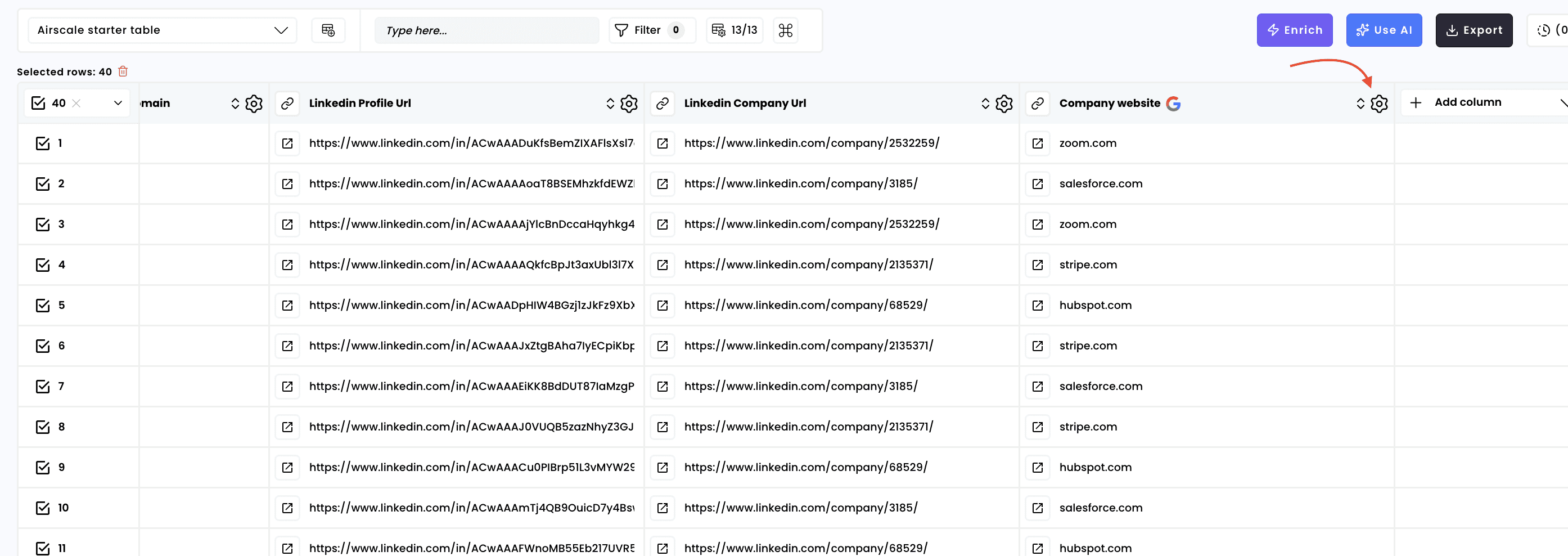
1. Click on the settings of your column
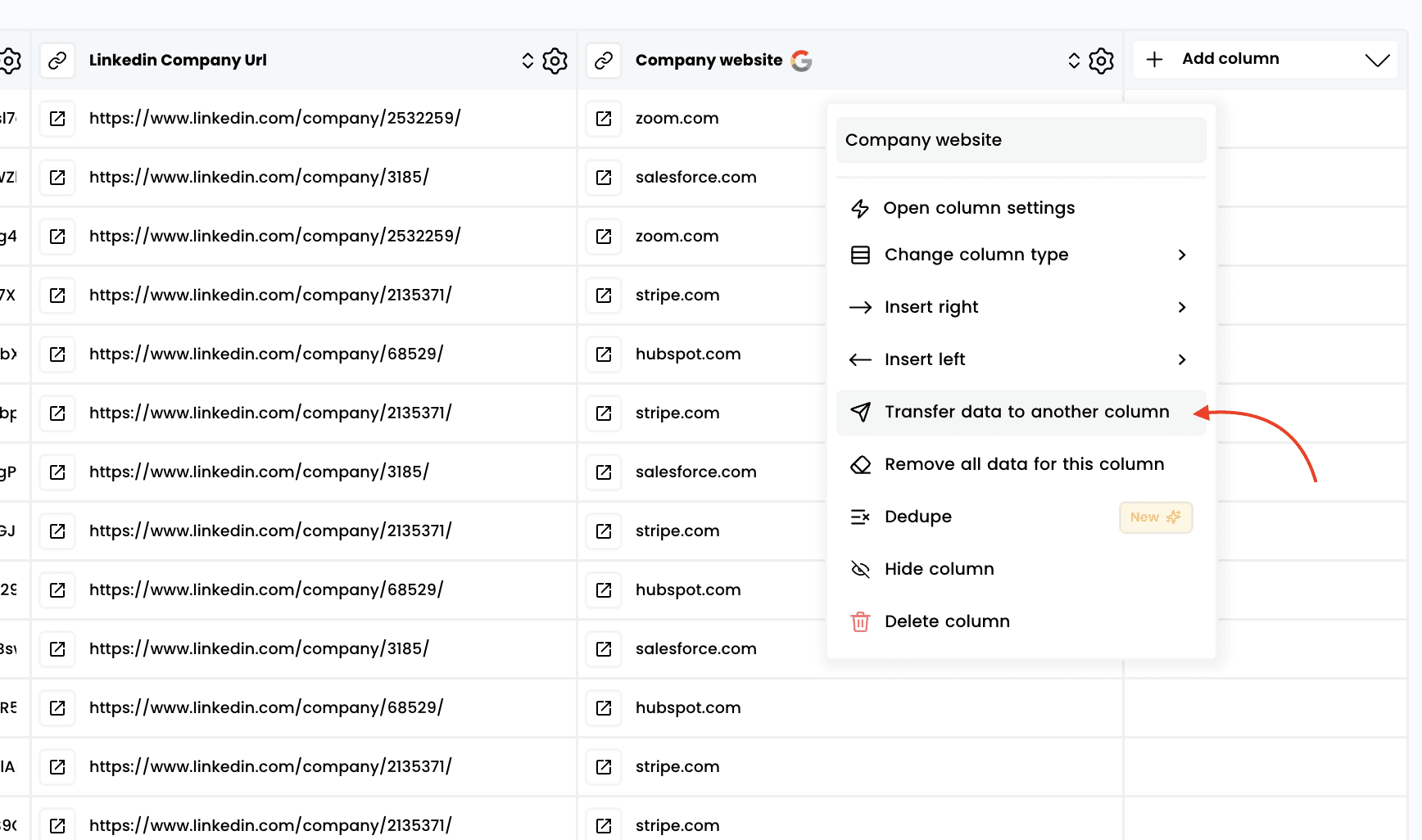
2. Click on “Transfer data to another column”
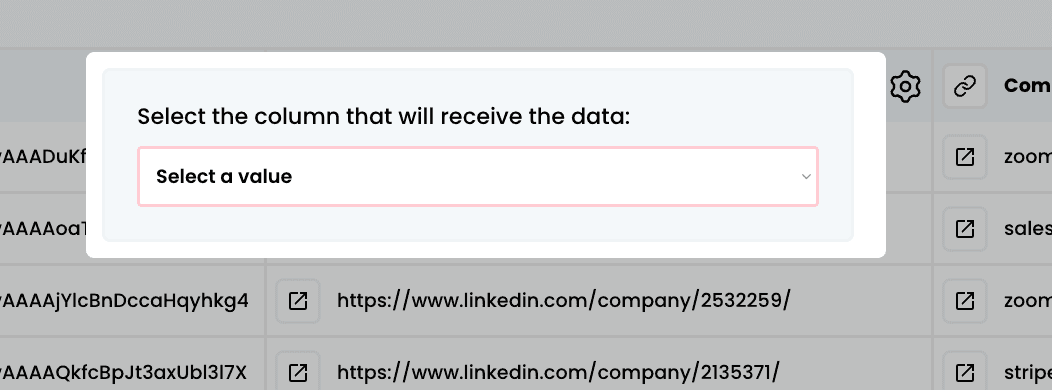
3. Select the column to which you want to transfer the data
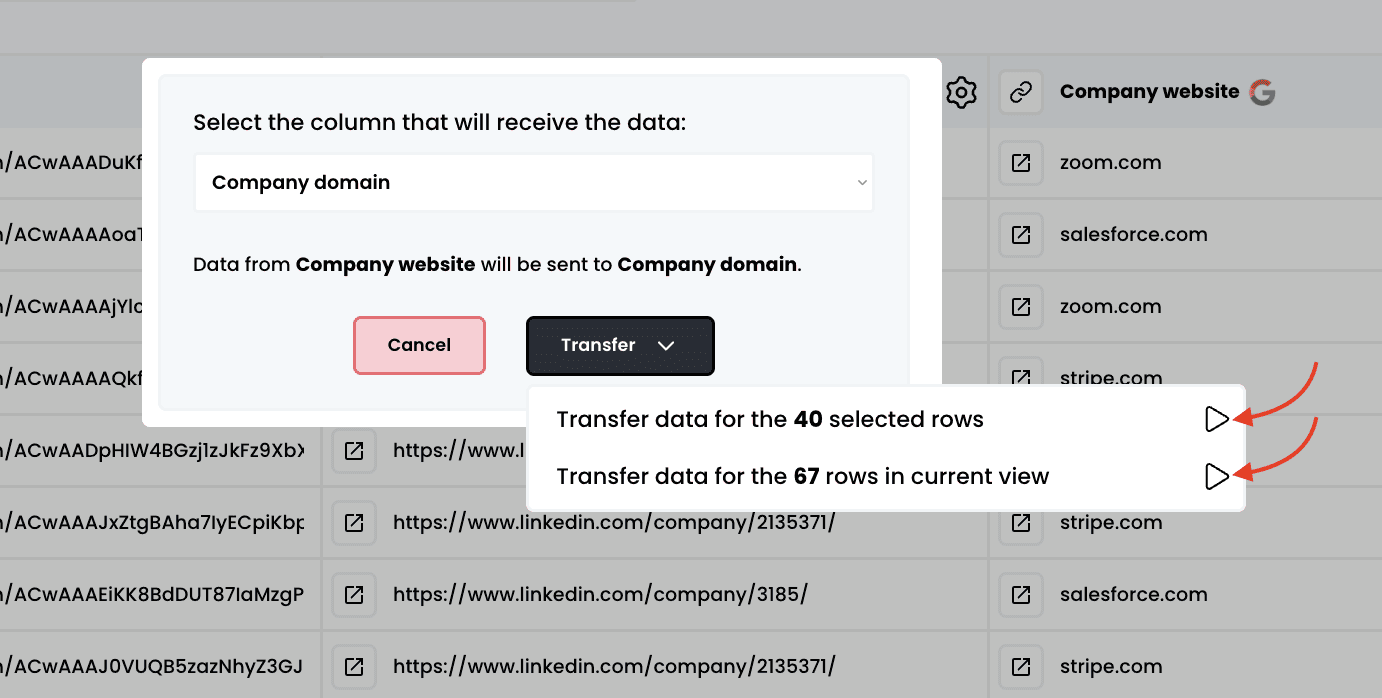
4. Choose the number of rows you want to transfer
Move or copy data from one column to another to reorganize or update your records efficiently