Export
Export your leads to Smartlead
Export your prospects directly from Airscale to Smartlead campaigns for automated email outreach. This integration streamlines your workflow by pushing enriched prospect data directly into your email sequences without manual uploads or CSV exports.
0. Prerequisites
An active Smartlead account with email campaigns set up
A prospect table in Airscale with enriched email addresses
Smartlead API access (available on most Smartlead plans)
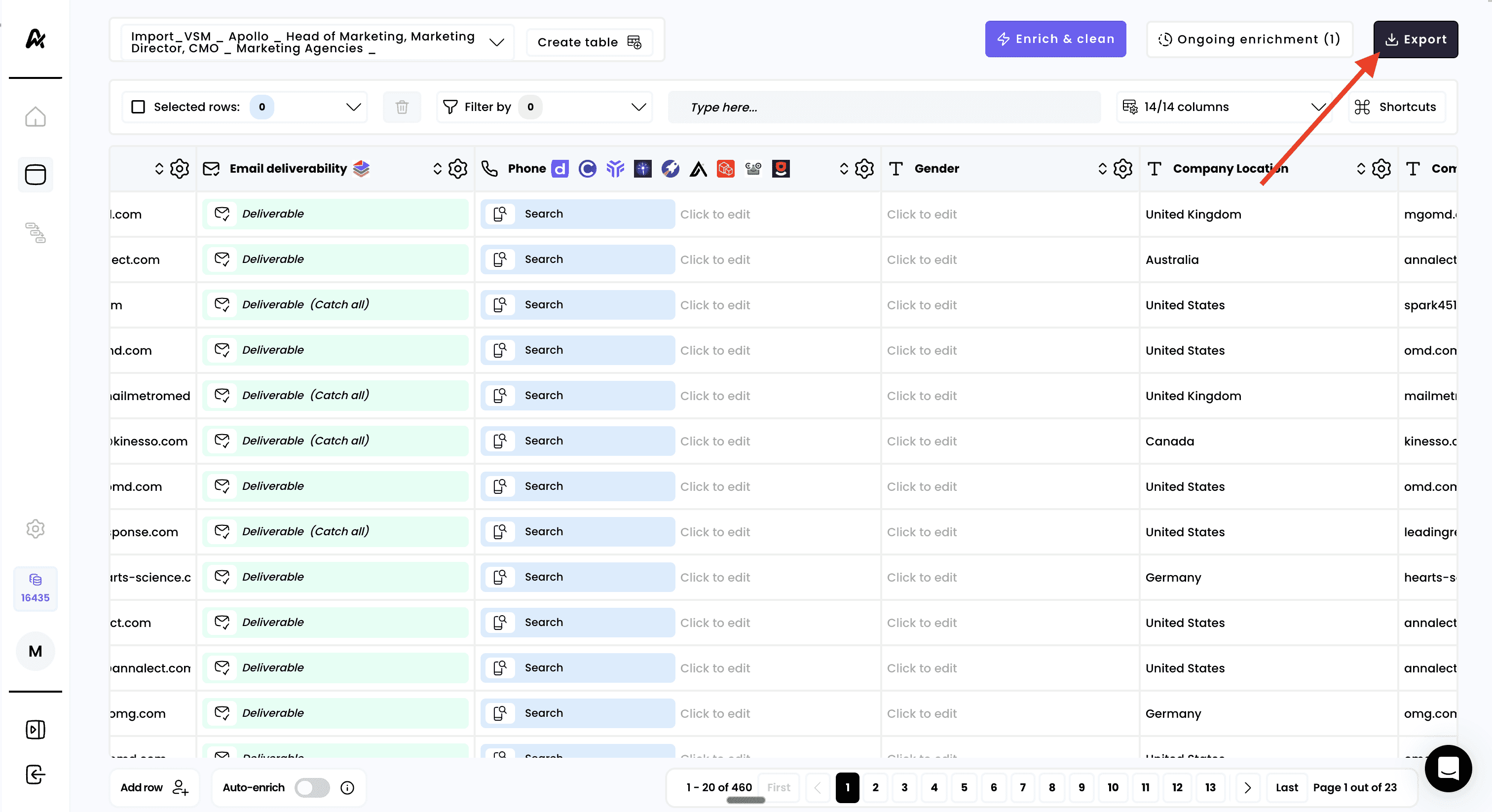
1. Click on "Export"
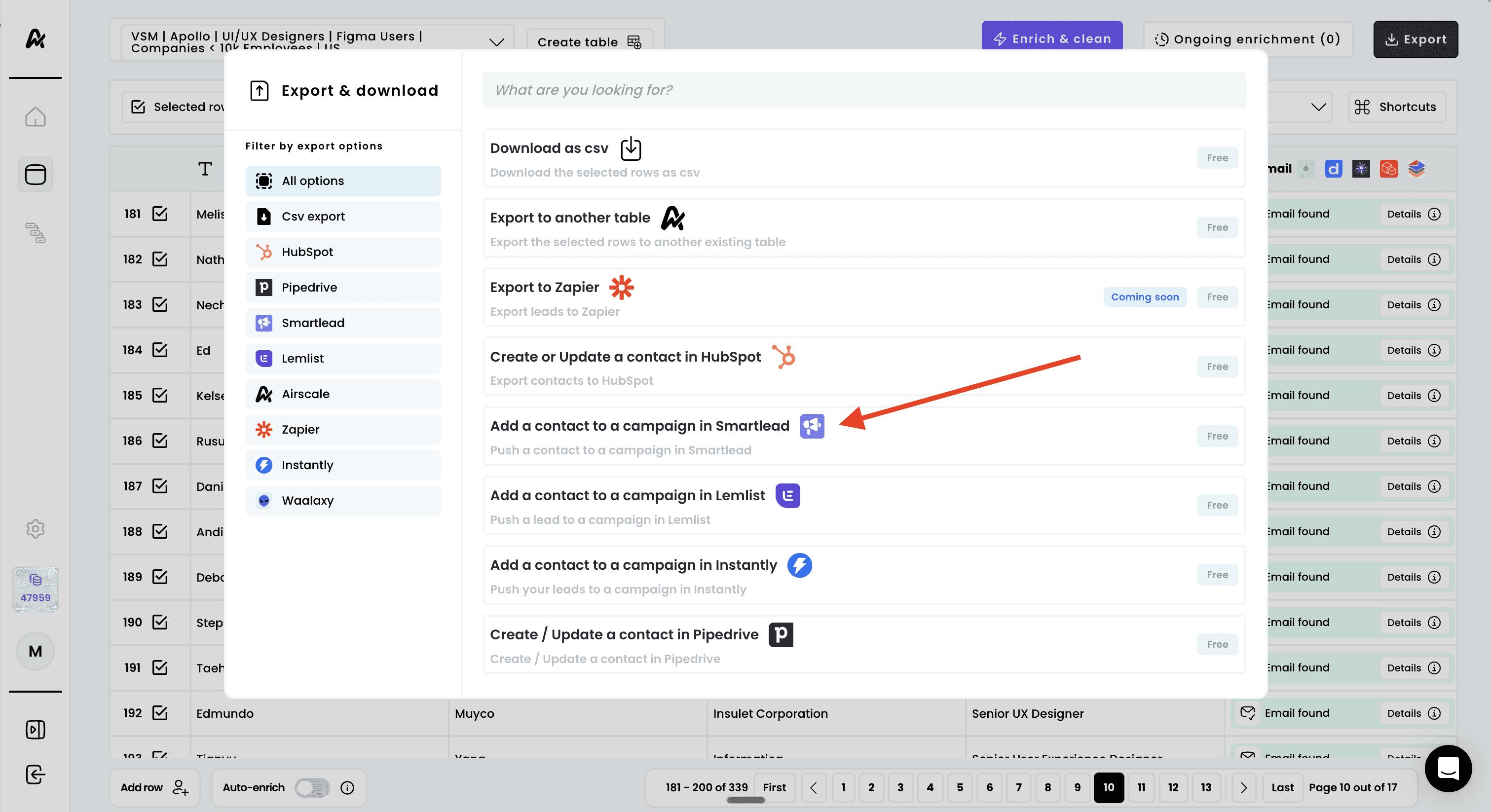
2. Select "Add a contact to a campaign in Smartlead"
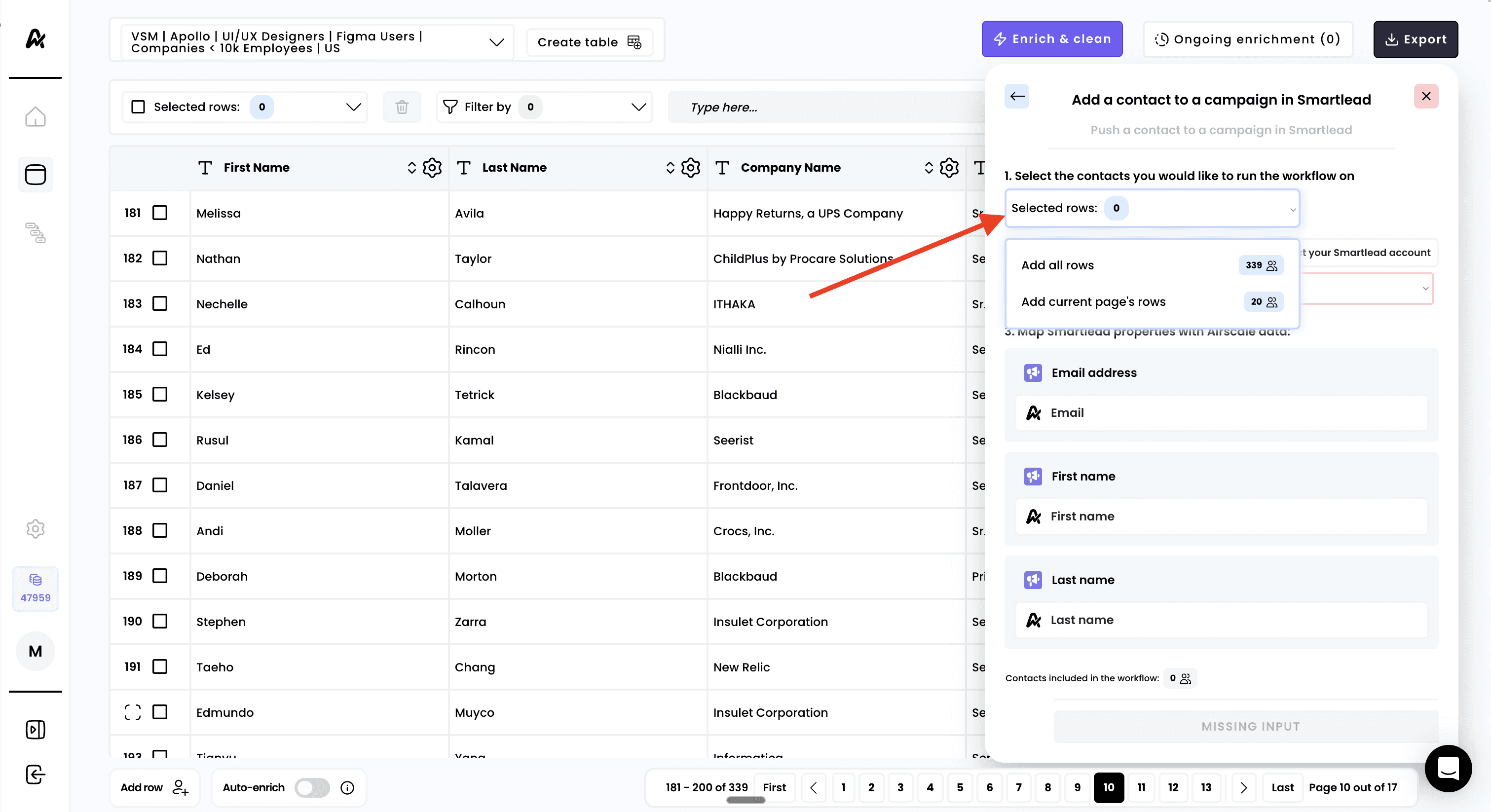
3. Select the rows to export
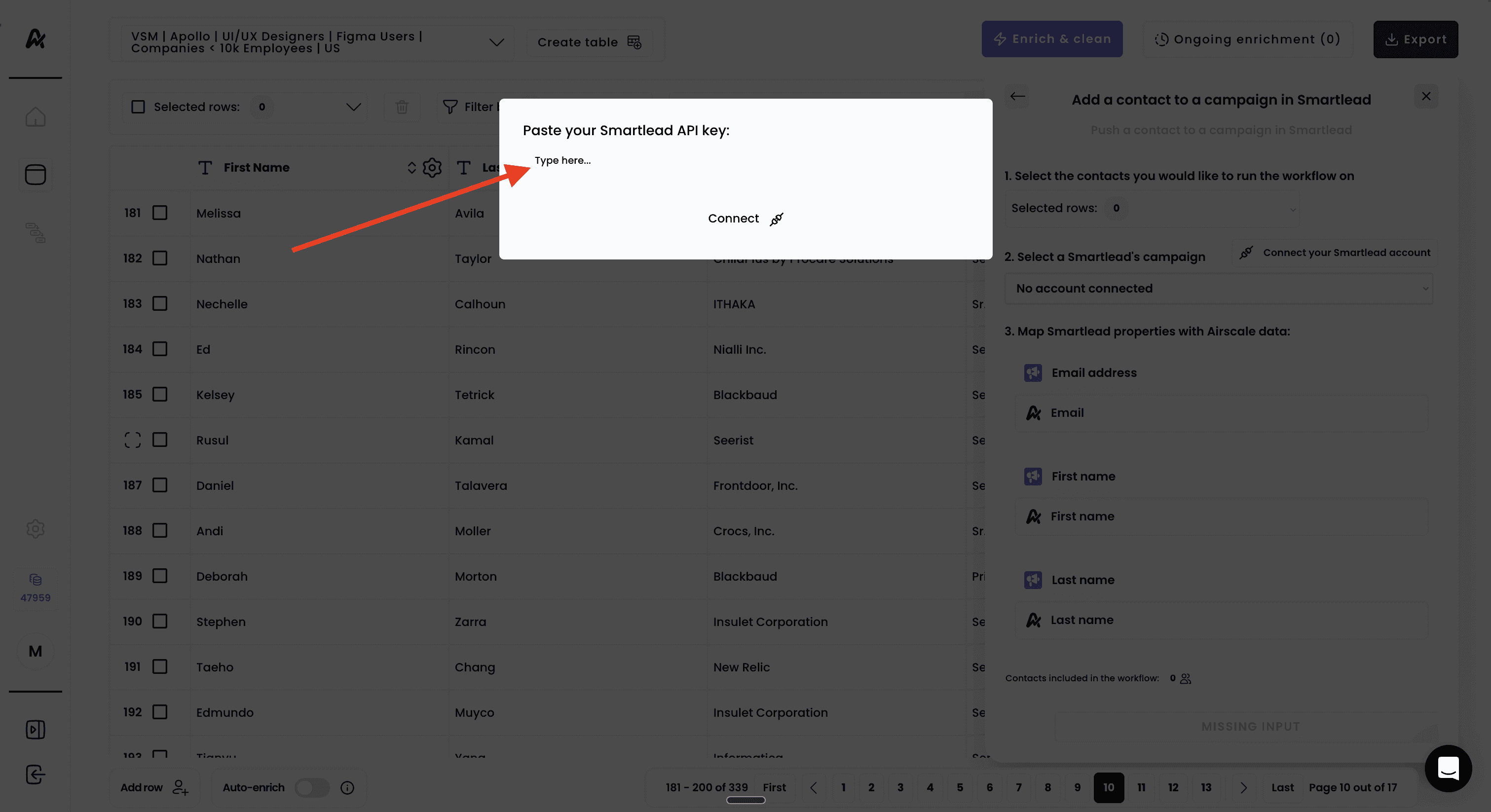
4. Connect your Smartlead account
If this is your first time connecting to SmartLead:
Click "Connect your Smartlead account" in the workflow panel
Note that "No account connected" appears initially
You'll need to create an API key in your Smartlead account first
5. Create API key in Smartlead settings
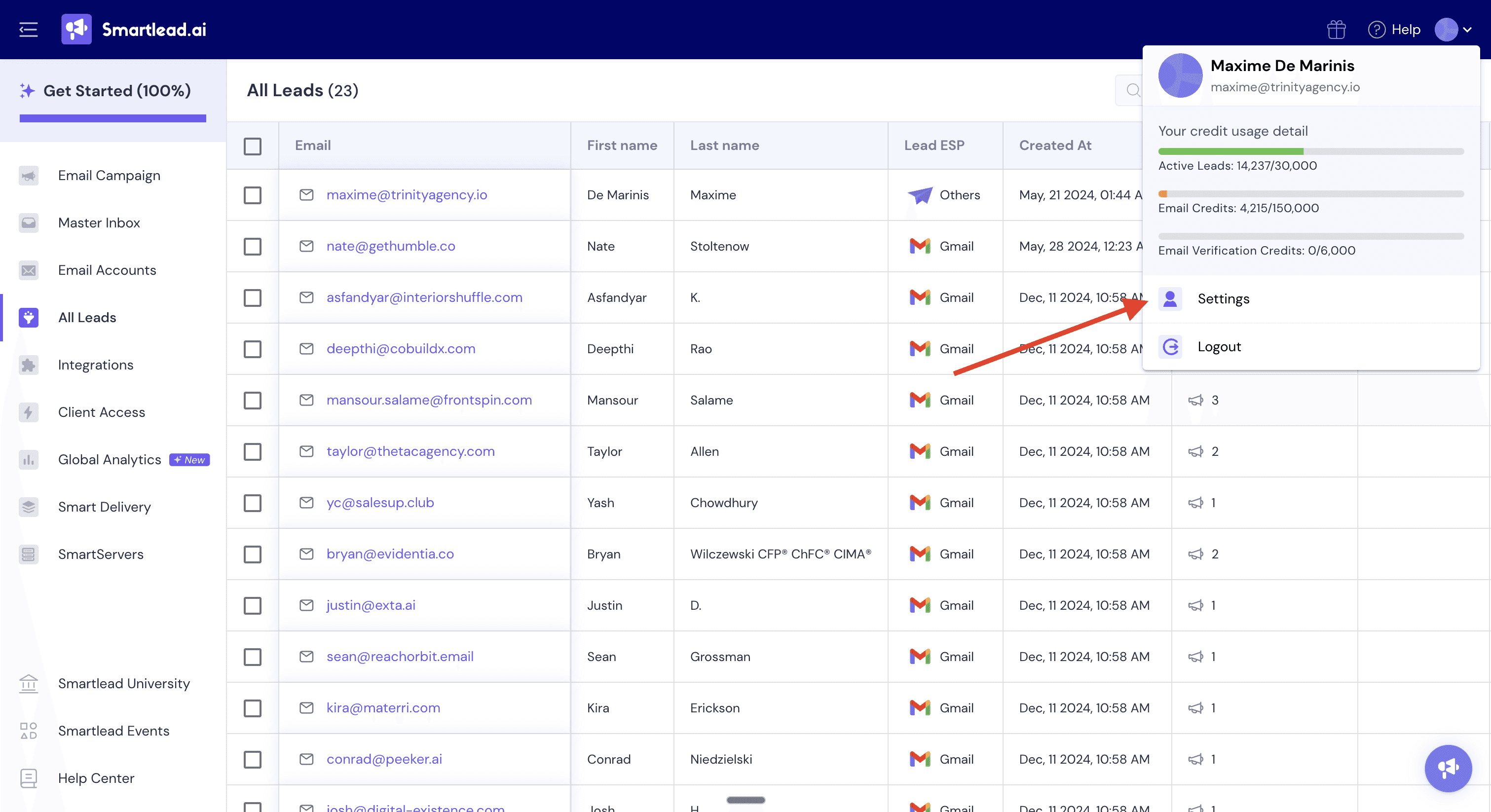
Log into your Smartlead account:
Click on "Settings" (usually in the top right corner)
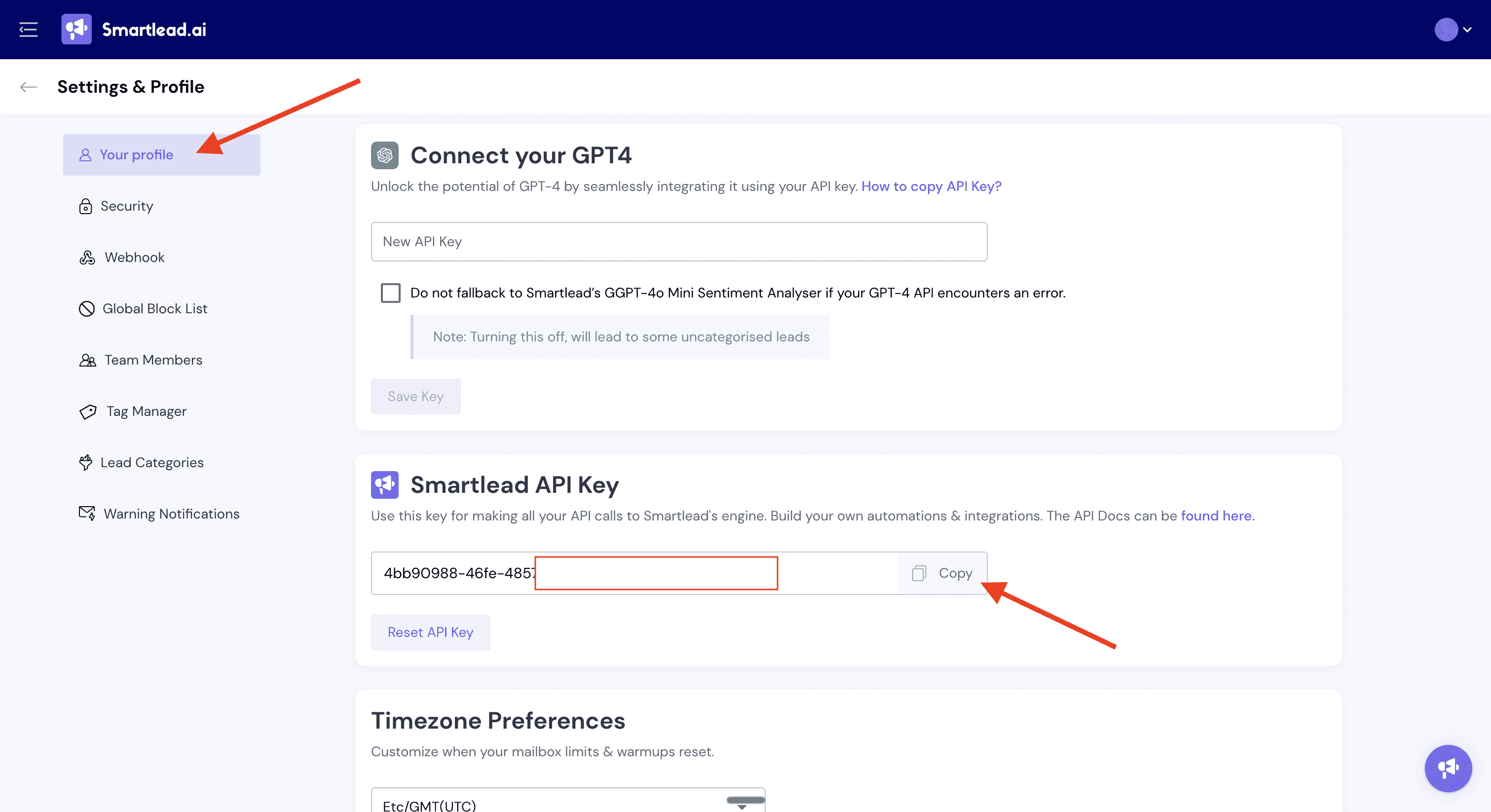
Navigate to the "Smartlead API Key" section
Copy the generated API key from Smartlead
6. Paste API key in Airscale and connect
Return to Airscale and the export workflow
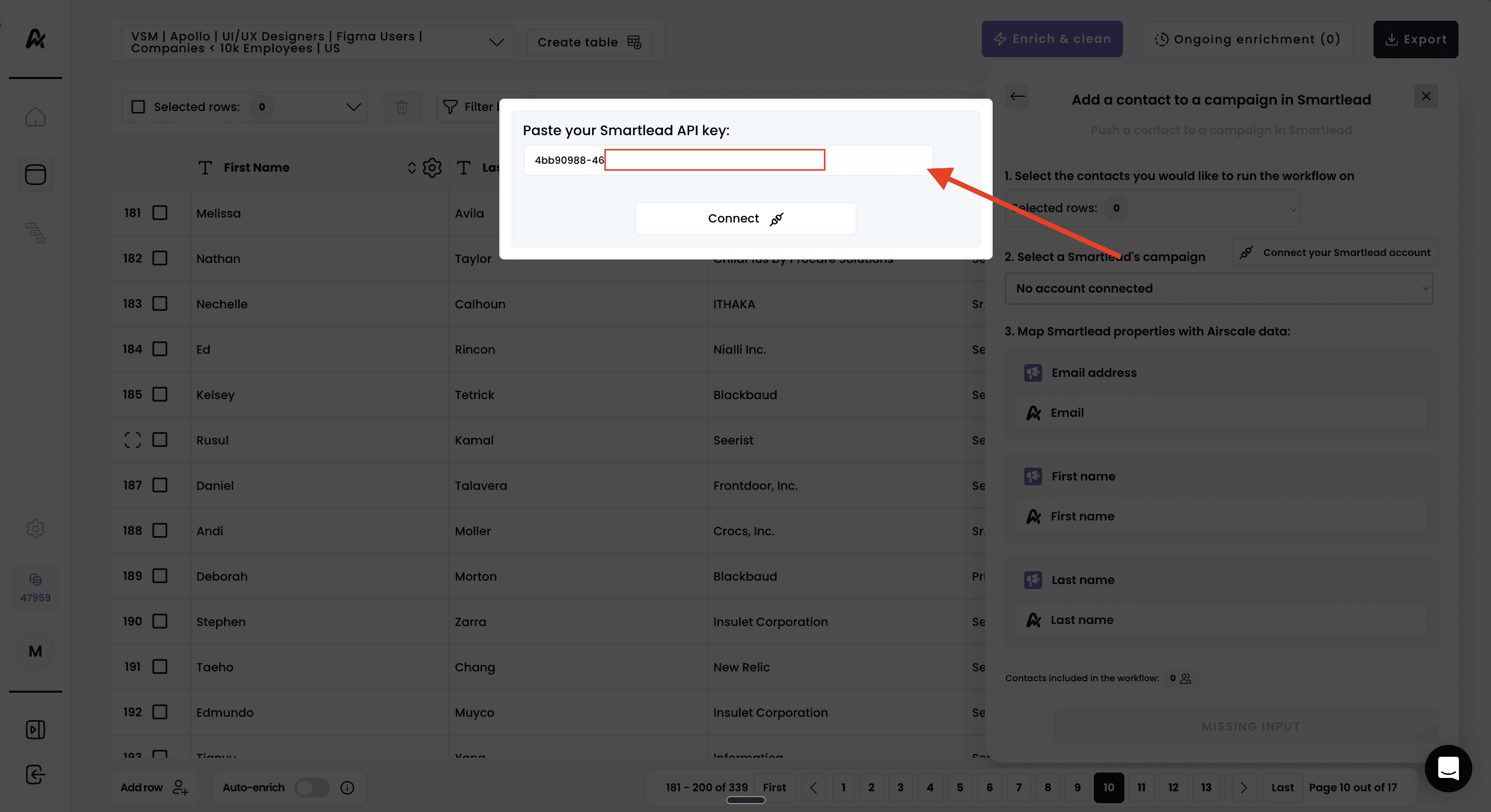
Paste your Smartlead API key in the provided field
Click "Connect" to establish the integration
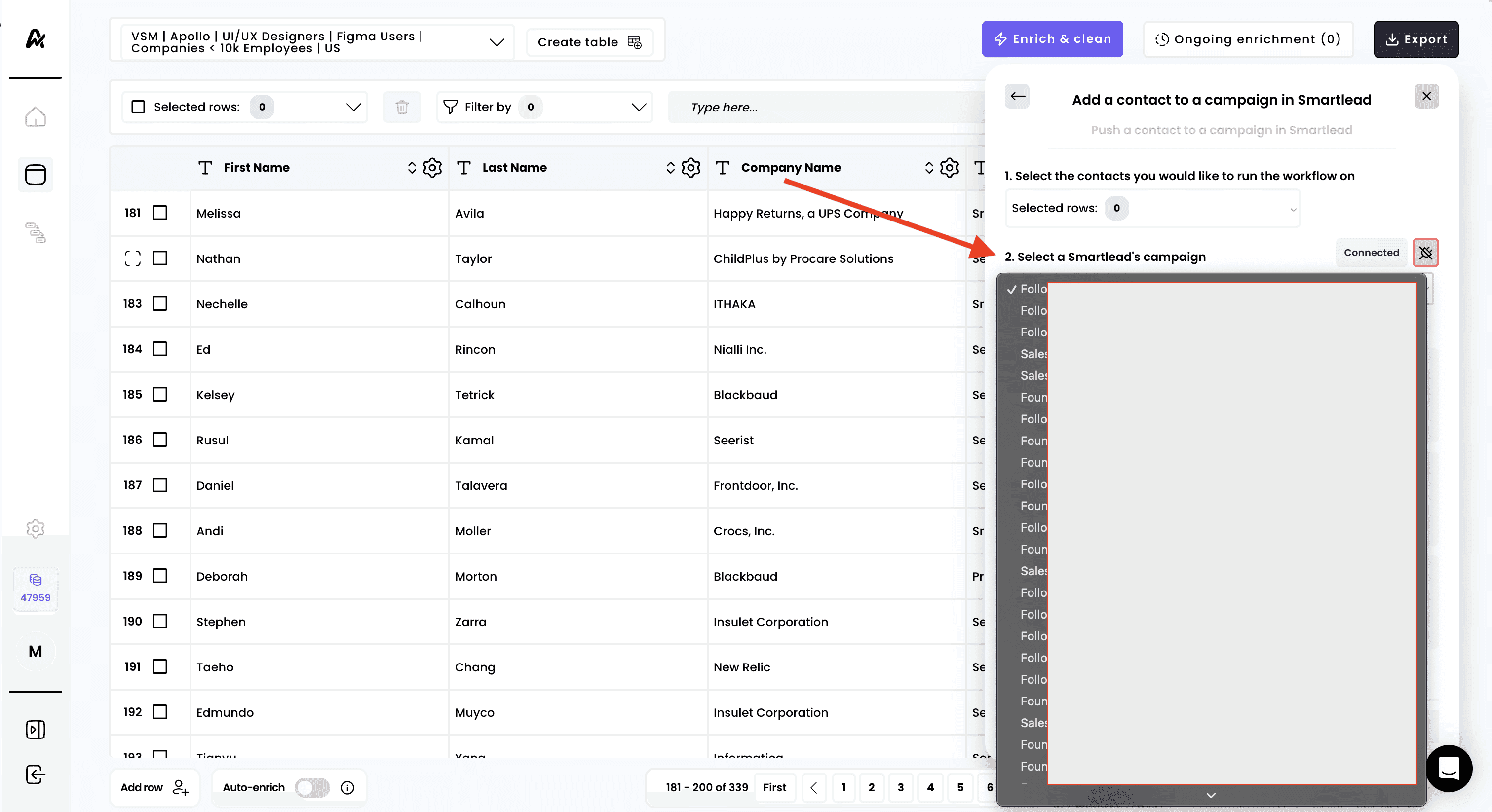
Wait for confirmation that the connection was successful
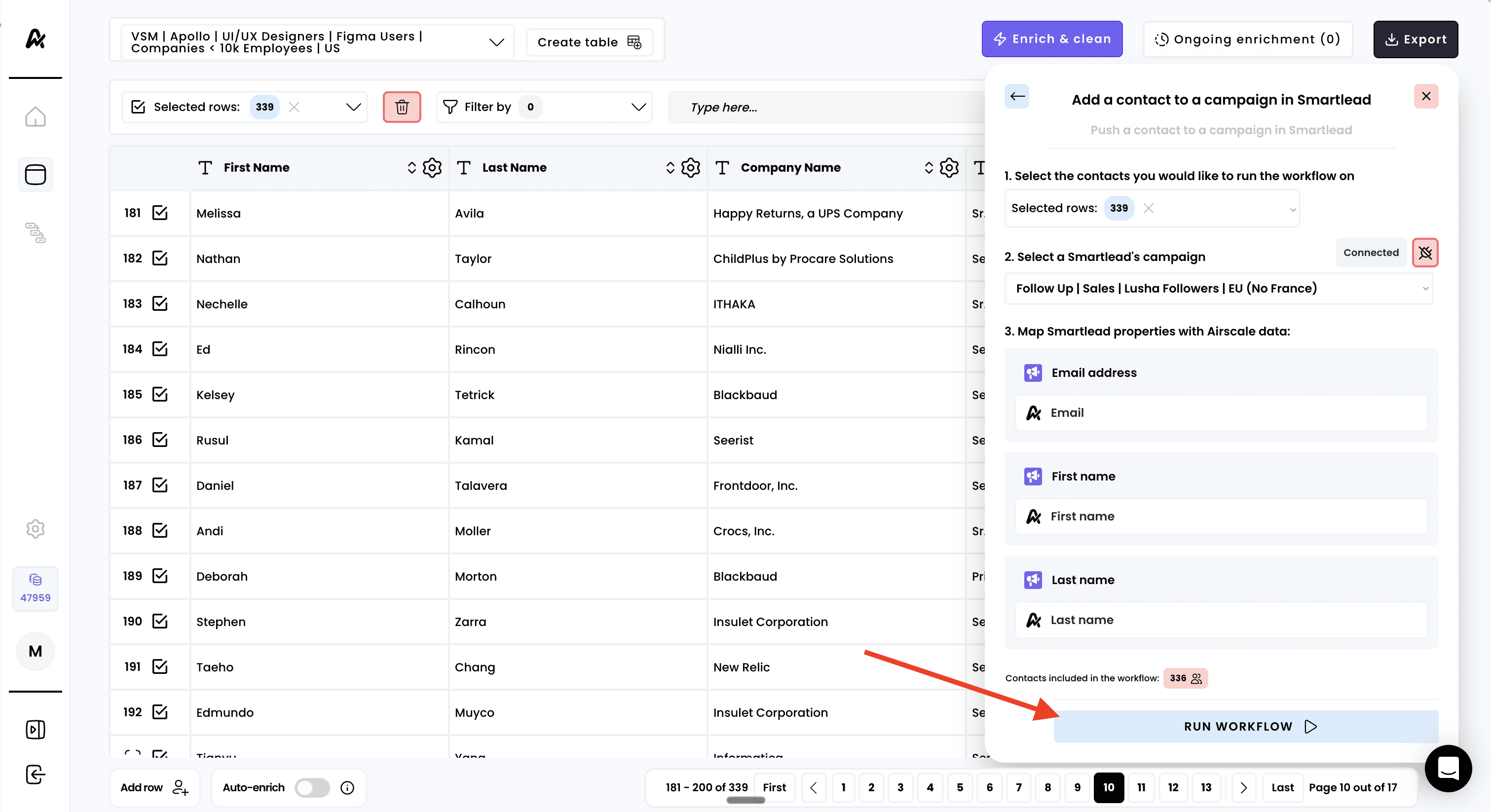
7. Select a campaign
8. Launch your export
Configure how Airscale data maps to SmartLead fields:
Email address ↔ Smartlead email field
First name ↔ Smartlead first name field
Last name ↔ Smartlead last name field
Phone ↔ Smartlead phone field
Company Name ↔ Smartlead company name field
Website ↔ Smartlead website field
Linkedin Profile URL ↔ Smartlead linkedin profile field
Additional custom fields as needed
Need help? Contact Support
Questions? Contact Sales