

Note:
- You can import up to 10,000 companies per search
- Large searches may take several minutes to complete
- Use specific filters to get the most relevant companies within the limit
0. Prerequisites
- An active Airscale account with remaining credits
- Clear understanding of your ideal customer profile (ICP)
- Specific criteria for your target companies (industry, size, location, etc.)
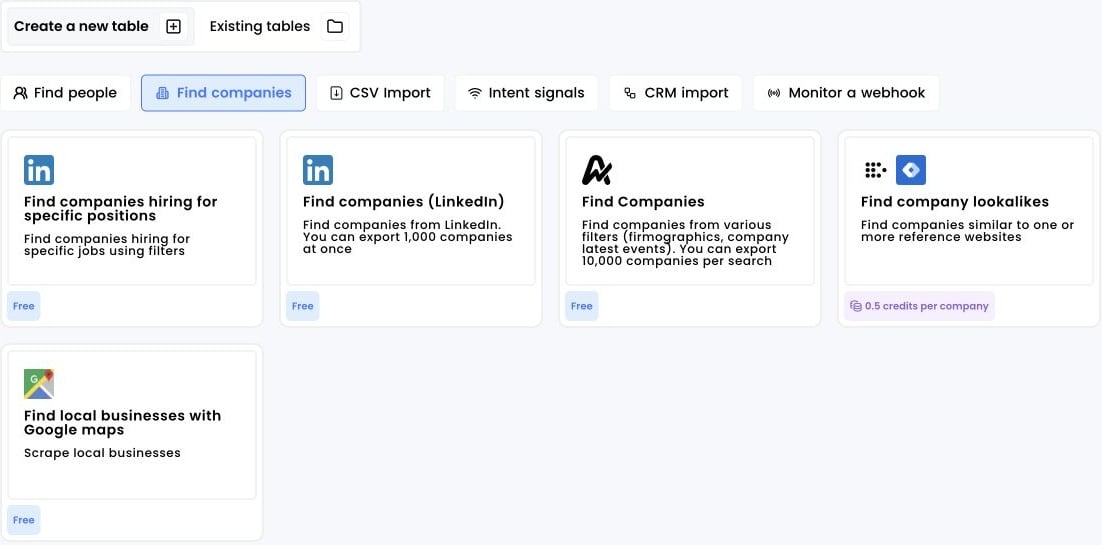
1. Click on “Find Companies”
- Log into your Airscale dashboard
- Select “Find companies” from the available modules (look for the Airscale icon)
2. Apply your search filters
Configure your search criteria using the comprehensive filter system:Basic company filters
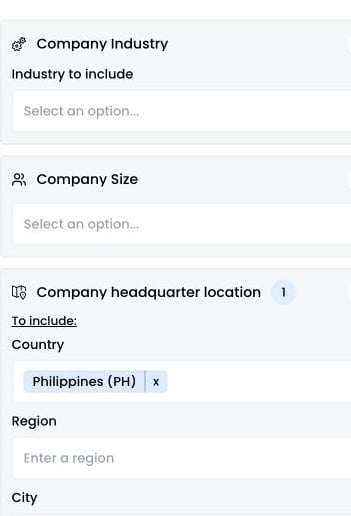
Company industry:- Select from dropdown of industry categories
- Multiple industries can be selected
- Focus on industries where your solution has proven success
- Choose from predefined ranges: 1-10, 11-50, 51-200, 201-500, 501-1000, 1001-5000, 5001-10000
- Select multiple ranges for broader targeting
- Consider your product’s sweet spot for company size
- Include country, state, or city: Enter geographic filters like “United States,” “California,” or “San Francisco”
- Multiple locations can be added for broader coverage
- Use specific cities for territory-based targeting
- Set minimum and maximum number of office locations as well as company age in years
- Target single-site startups or multi-location enterprises depending on your ideal customer profile
- Align outreach with companies at the right maturity and operational complexity for your solution
Advanced growth filters & signals
Company recent events:-
Select multiple recent events simultaneously:
- Hiring in a specific department
- Increase in a specific department
- Decrease in a specific department
- Company award
- New product
- Employee joined company
- Merger and acquisitions
- Lawsuit and legal issues
- Outages and security breaches
- Closing office
- New investment
- New office
- New partnership
- Cost cutting
- New funding round
- Award
- IPO announcement
- Identify companies going through strategic shifts or growth phases
- Prioritize outreach based on timely, contextual triggers
- Filter by last occurrence : 30, 60, or 90 days
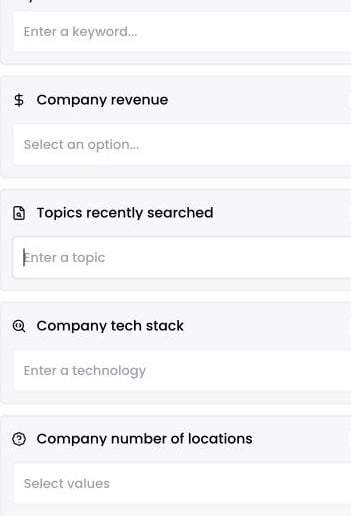
- Set minimum and maximum revenue in millions
- Target companies within specific revenue ranges
- Align with your solution’s typical customer spend capacity
- Select specific topics or keywords recently searched by target companies
- Identify businesses actively researching solutions in your space
- Prioritize outreach based on real-time intent signals to reach prospects at the right moment in their buying journey
- Select specific technologies used by target companies (CRM, marketing tools, sales tools, infrastructure, etc.)
- Filter companies based on their current tech stack to identify integration opportunities or competitive displacement
- Target businesses already familiar with similar solutions to reduce onboarding friction
Advanced keyword targeting
Keywords in website:- Enter specific keywords to target companies whose website content matches your criteria
- Identify businesses operating in niche industries or verticals based on their own messaging
- Reach companies that explicitly address topics relevant to your solution on their public pages
3. Visualize your results
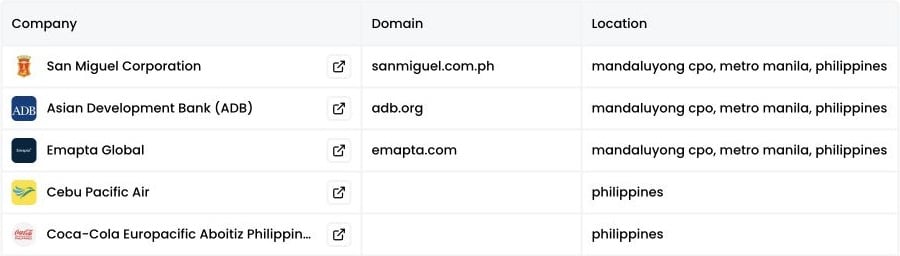
Click “Preview search results” to see a sample of your search results.-
Review the preview data:
- Company names
- Company website
- Company location
-
Check the results summary:
- Total number of matches
- Quality of matches against your ICP
- Distribution across industries and business models
-
Refine filters if needed:
- Adjust keyword combinations based on company descriptions
- Modify industry selections for better targeting
- Update size or revenue ranges based on company profiles
- Fine-tune company events for ideal timing
4. Click on “Load all companies to a table” to create a new table
Review your final filter settings one more time- Click Load all [number] companies to a table to import the matching companies
-
Monitor the import progress:
- Progress indicator shows “Importing: X/10,000”
- Percentage completion display
- Real-time status updates
-
Wait for completion:
- You can navigate away during processing
