Export
Export your data as CSV
Export your prospect lists from Airscale as CSV files for use in email marketing tools, CRMs, or further analysis. This feature lets you download all enriched data while giving you full control over which contacts and columns to include
When to export as CSV
To launch email campaigns in external tools
To import data into CRMs not directly integrated with Airscale
To analyze data in Excel, Google Sheets, or analytics tools
To keep local backups of your prospect data
To share prospect lists across teams and departments
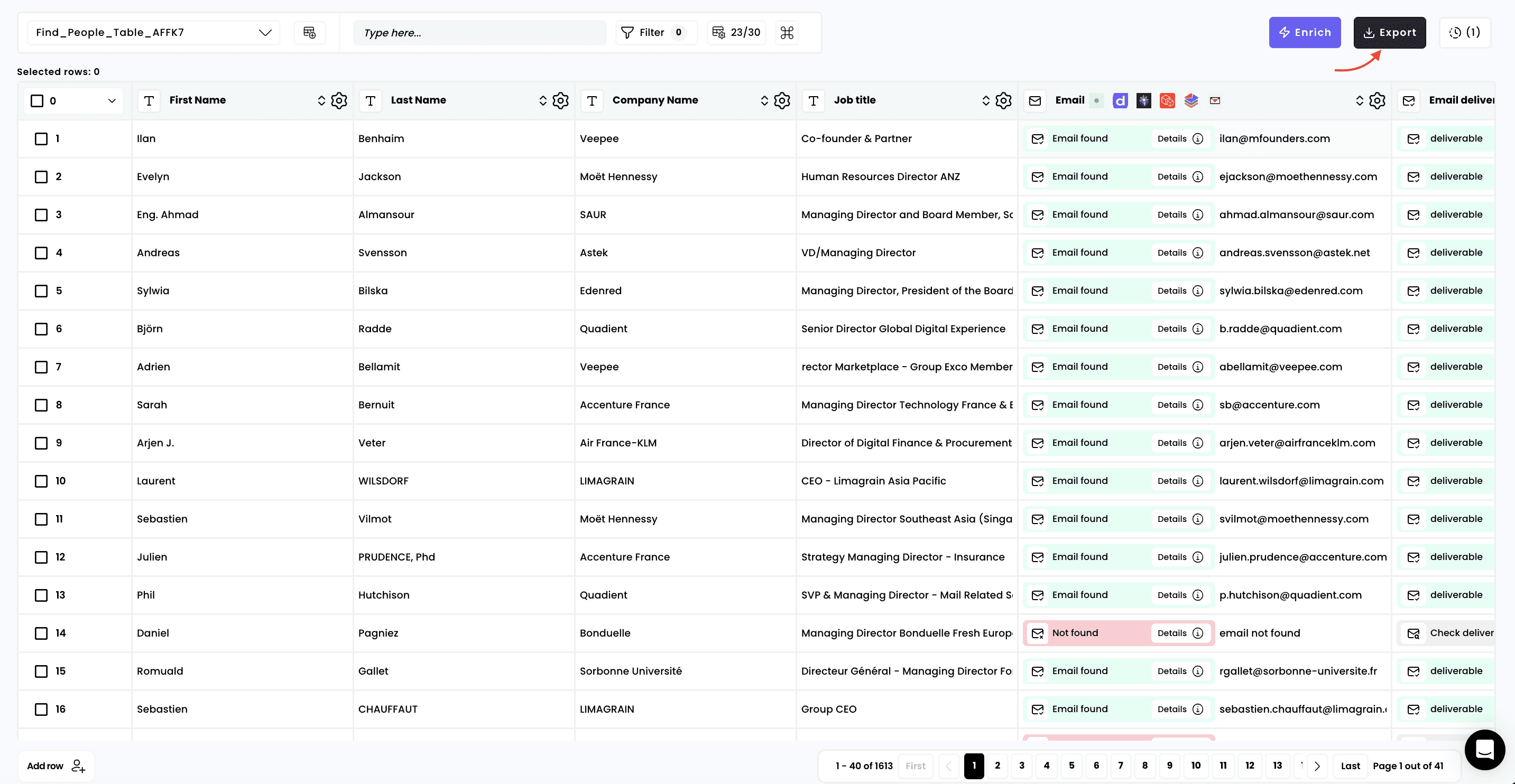
1. Click on "Export"
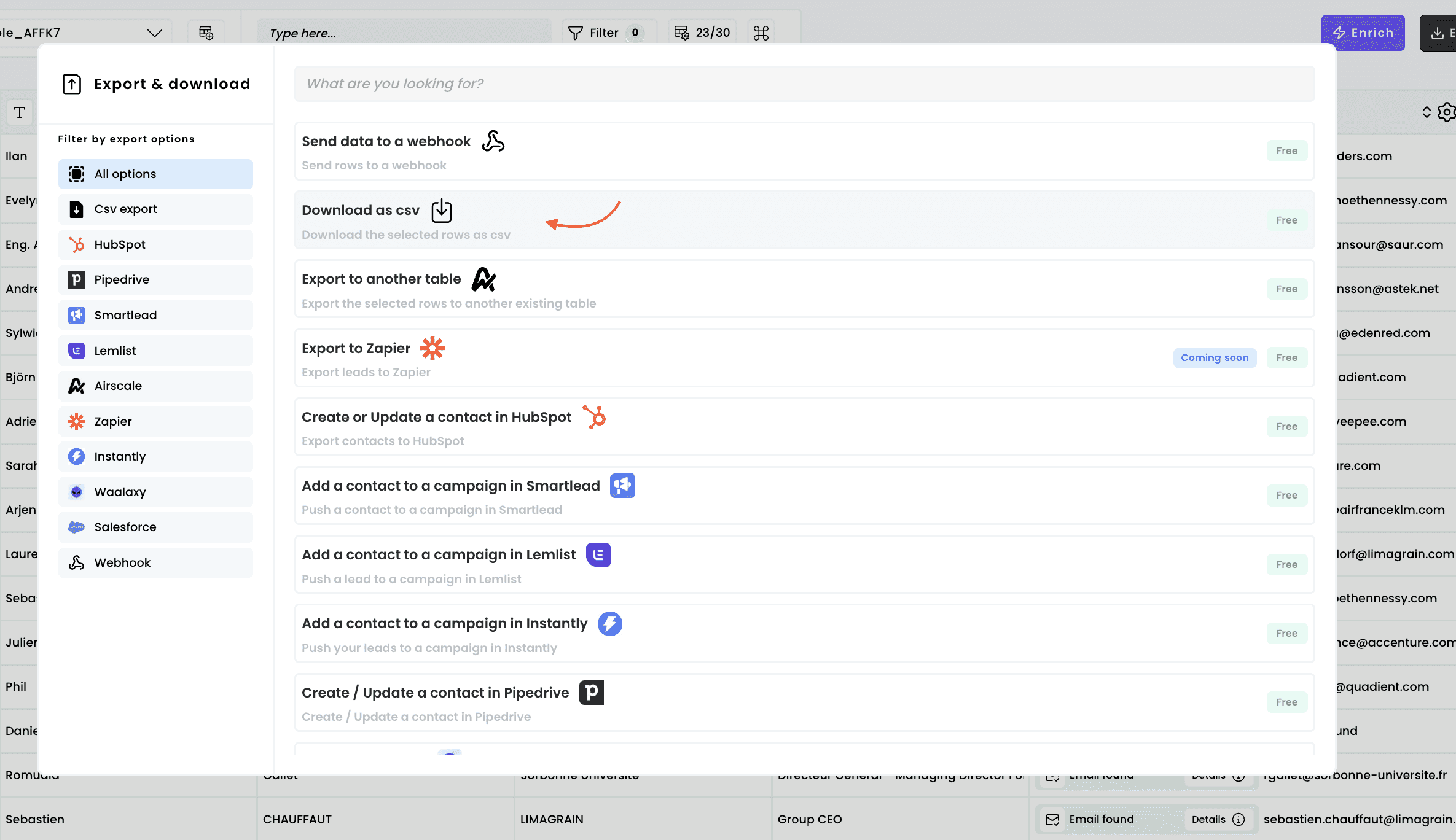
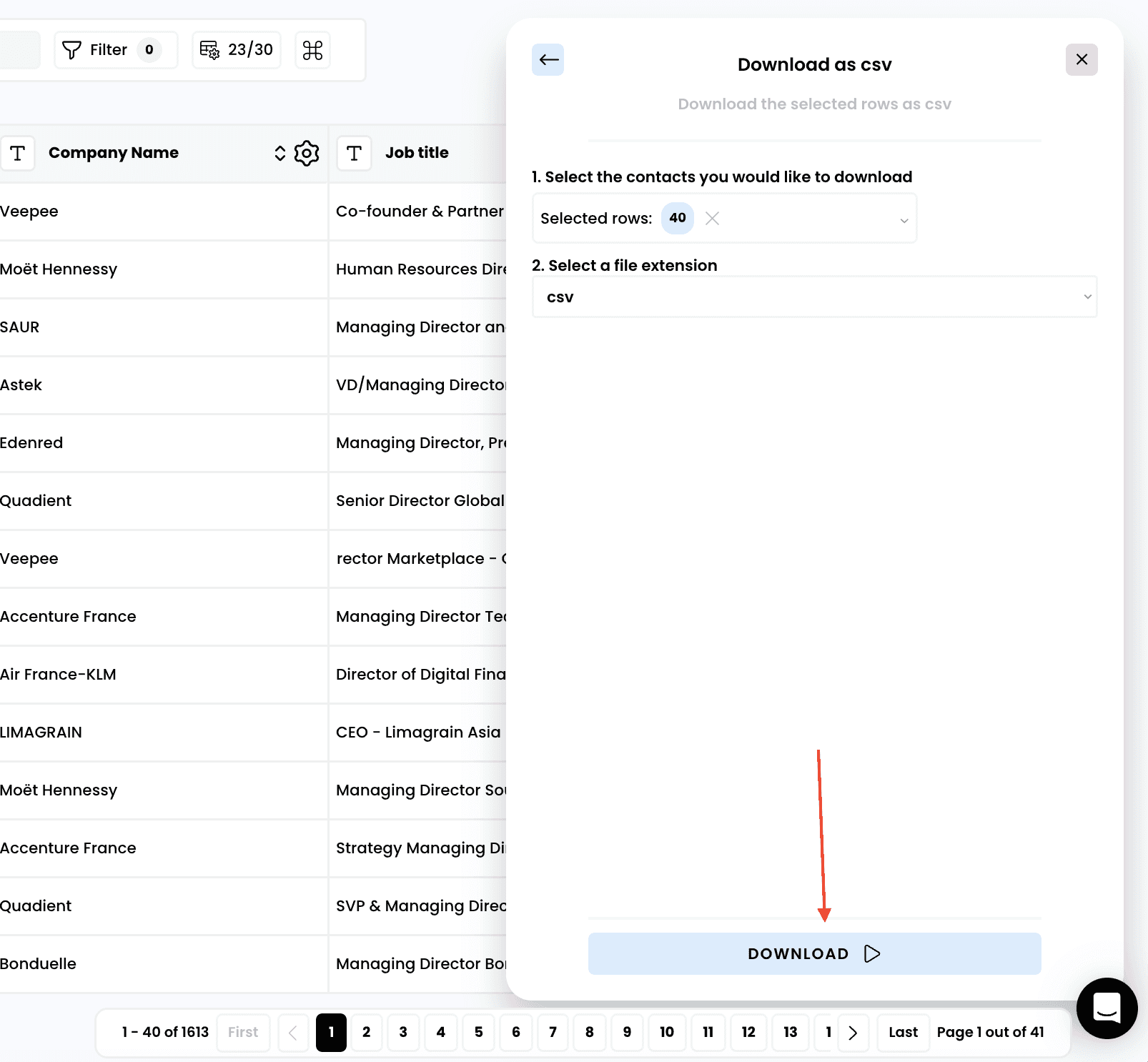
2. Select "Download as csv"
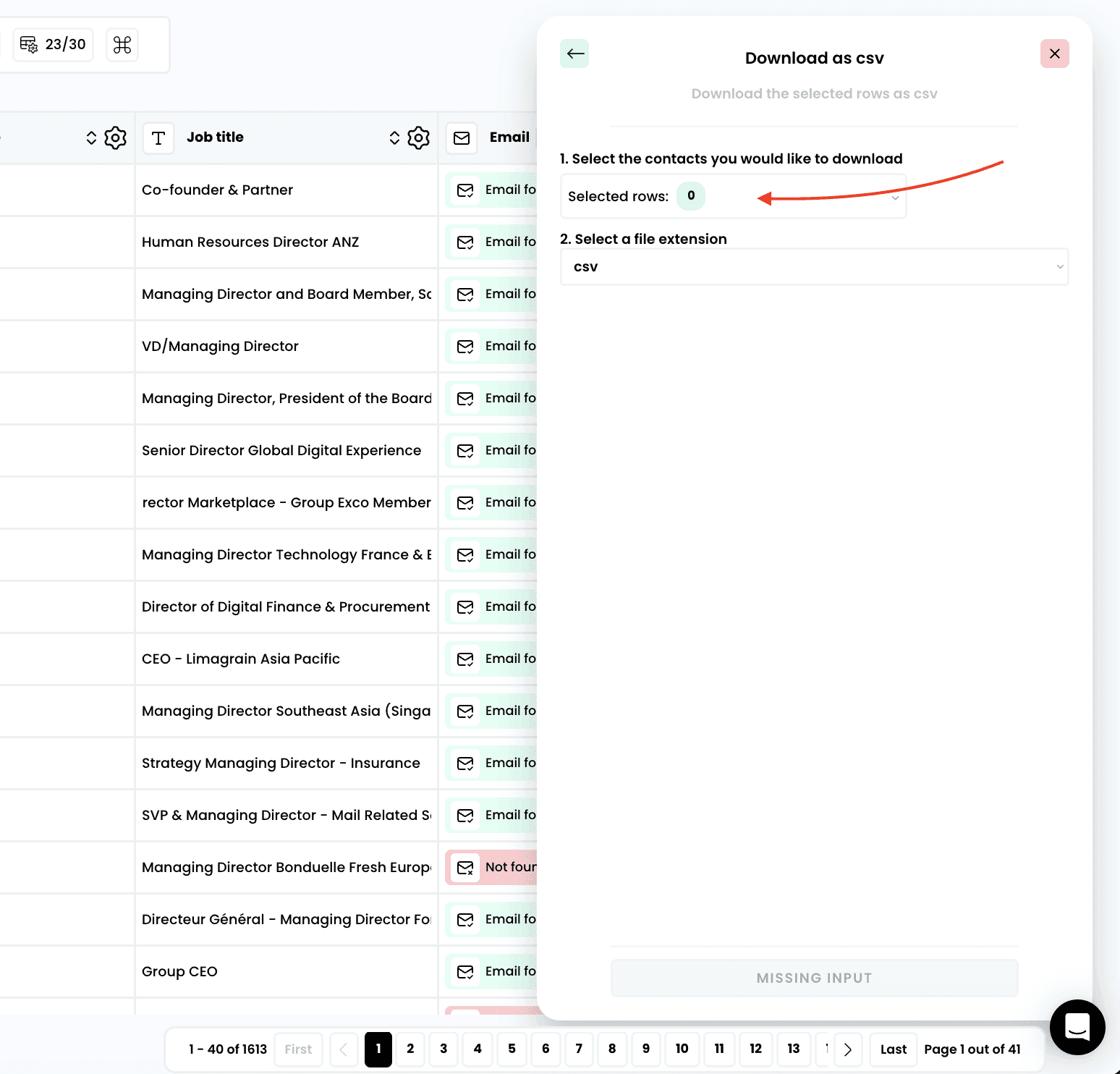
3. Select the rows to extract
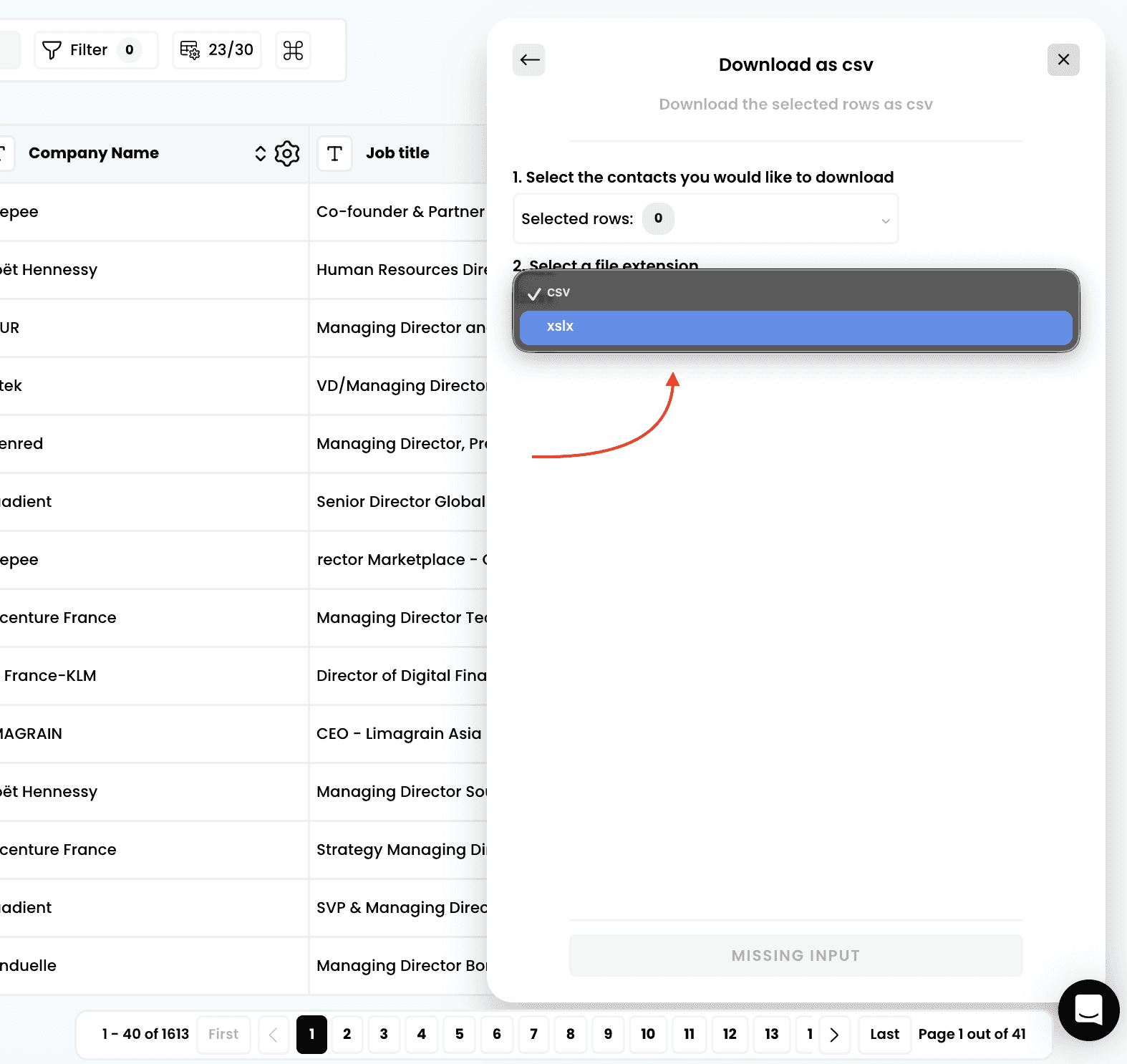
4. Select a file extension
Note:
CSV (recommended):
Universal compatibility with most email tools and CRMs
Smaller file size for large datasets
Easy to open in Excel, Google Sheets, or text editors
Best for automated imports and integrations
XLSX:
Excel-native format with formatting preservation
Better for manual data manipulation
Supports advanced Excel features if needed
Slightly larger file size
5. Download your export
Need help? Contact Support
Questions? Contact Sales