Build lists
Scrape a Sales Navigator search
Turn your Sales Navigator searches (people only) into actionable prospect lists in Airscale. This feature extracts profiles directly from any Sales Navigator search results, eliminating manual copy-pasting and building targeted lists in minutes
Note:
You can only export 2,500 leads per search
We recommend not scraping more than 2,500 leads every 12 hours
0. Prerequisites
An active LinkedIn Sales Navigator subscription
A completed search in Sales Navigator with your target prospects
Airscale Chrome extension installed (for LinkedIn authentication)
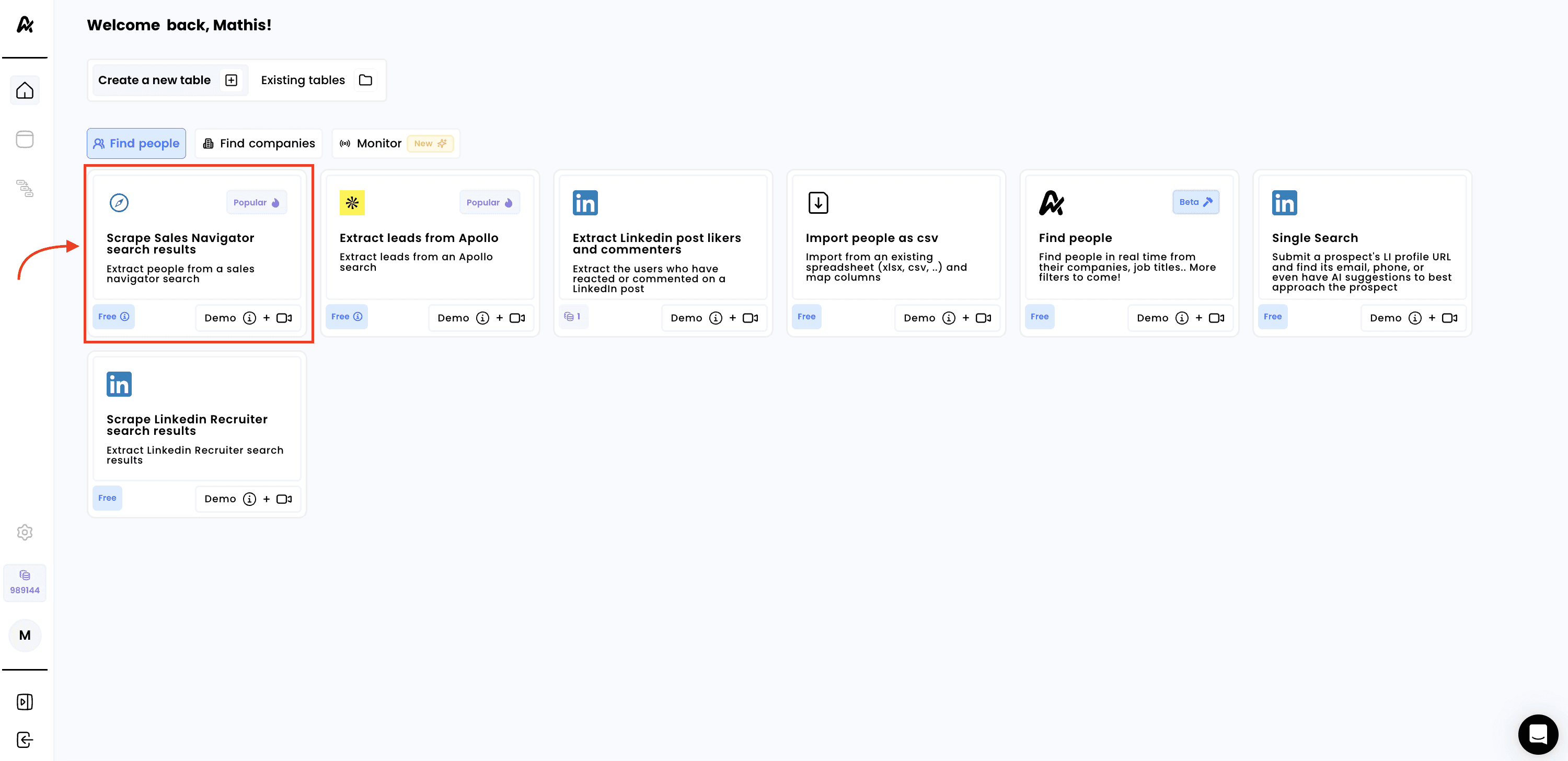
1. Click on "Scrape Sales Navigator search results"
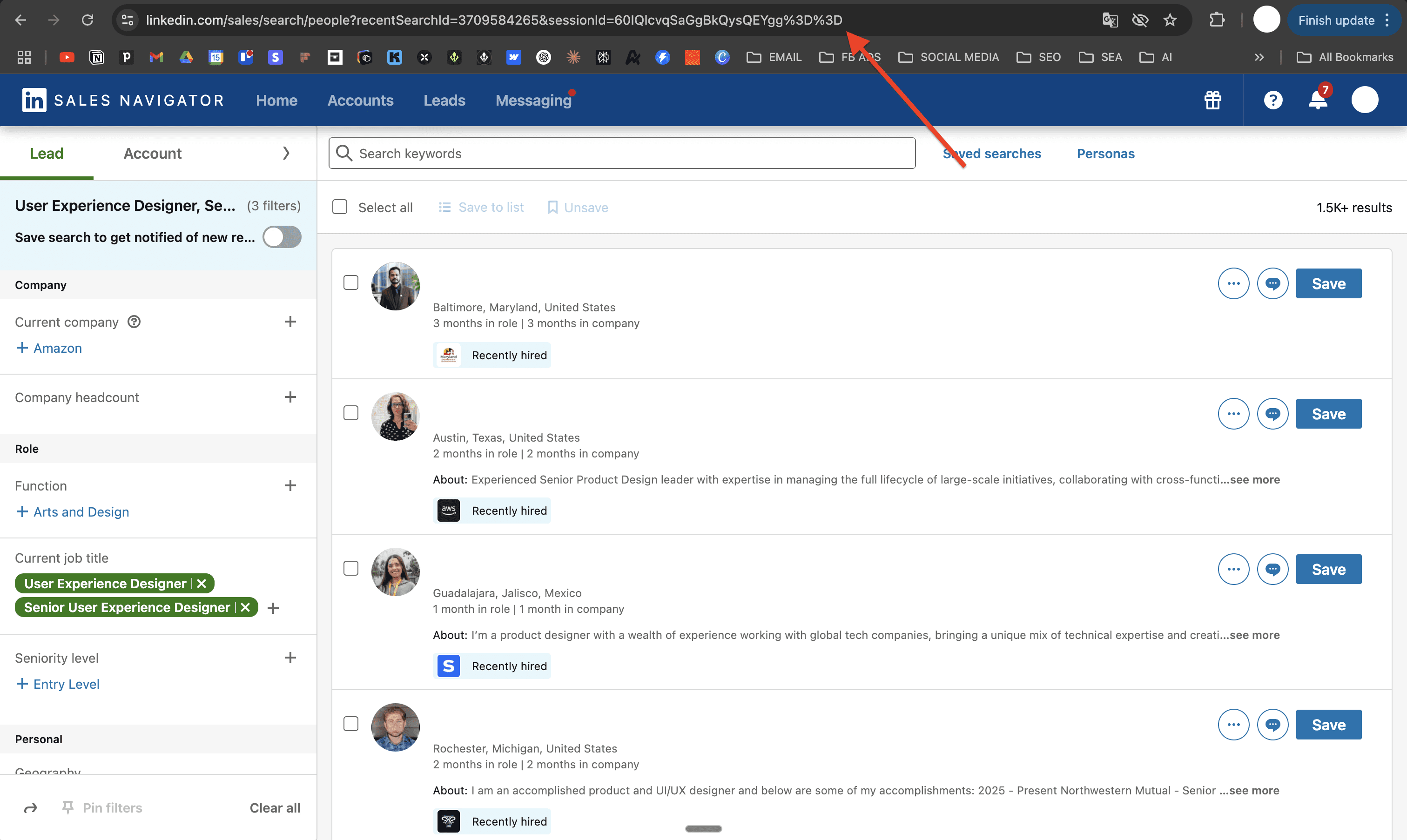
2. Copy the search URL from Sales Navigator
Before scraping, ensure your search is properly configured:
Go to Sales Navigator and perform your lead search
Apply your target filters (job titles, company size, industry, location, etc.)
Review your search results to ensure they match your ideal prospects
Copy the search URL from your browser's address bar
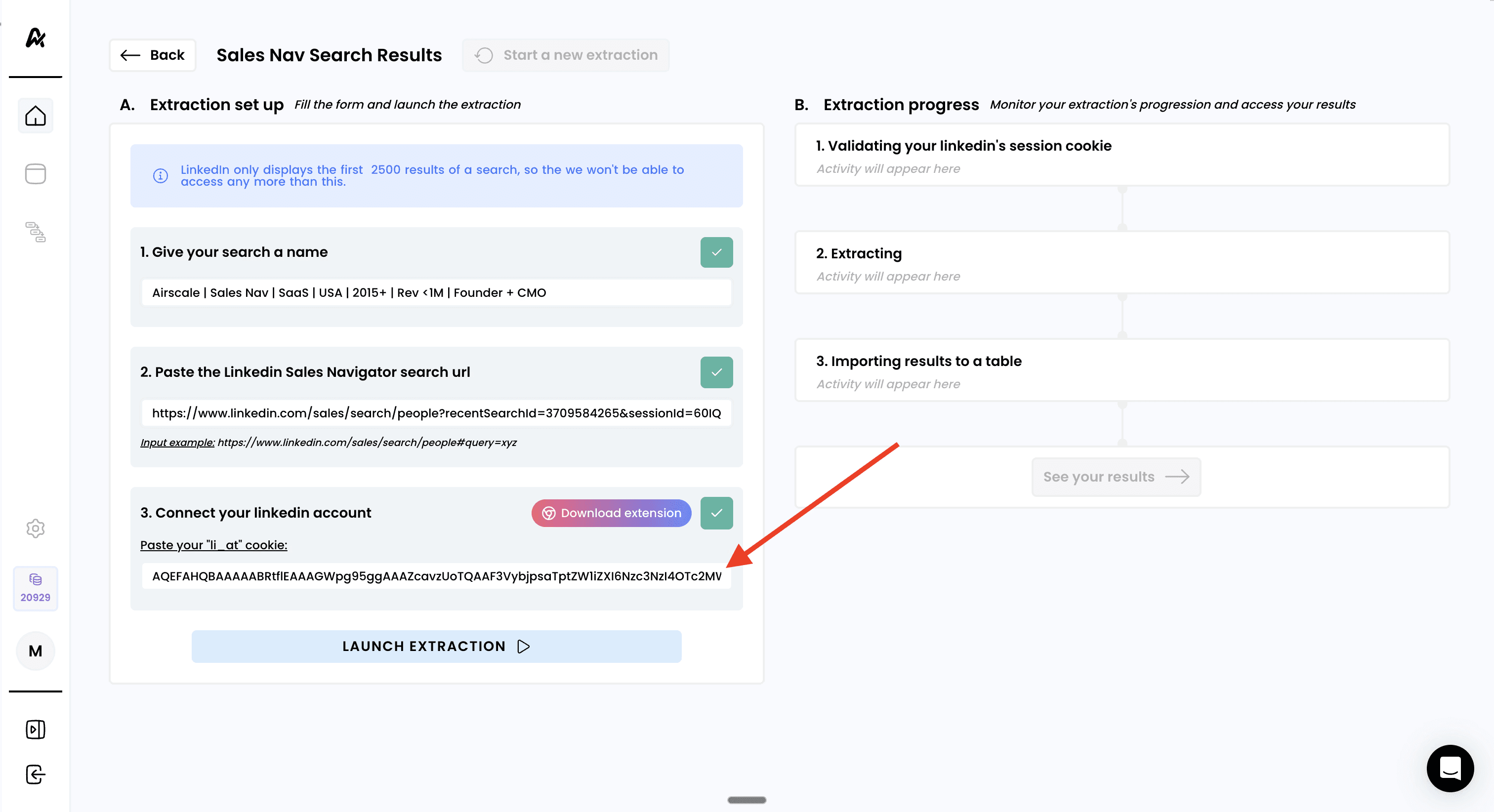
3. Connect your LinkedIn account
Download the Airscale Chrome extension if you haven't already here or directly with the link on the extraction page
The extension will automatically extract your LinkedIn session cookie
Paste your
li_atcookie into the provided fieldThis authenticates your LinkedIn session securely. 2FA adds an extra security layer and is required for Admin roles
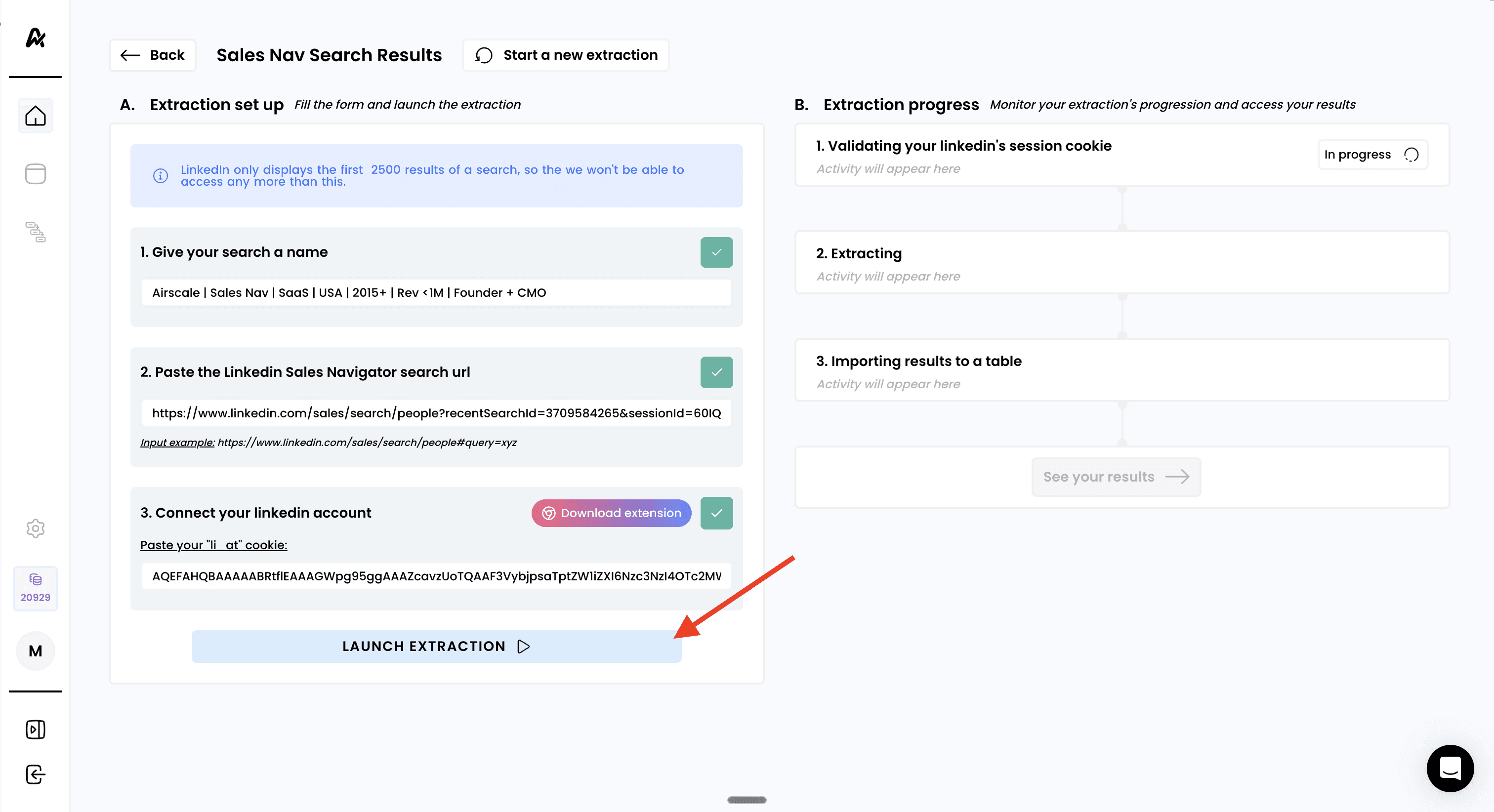
4. Launch the extraction
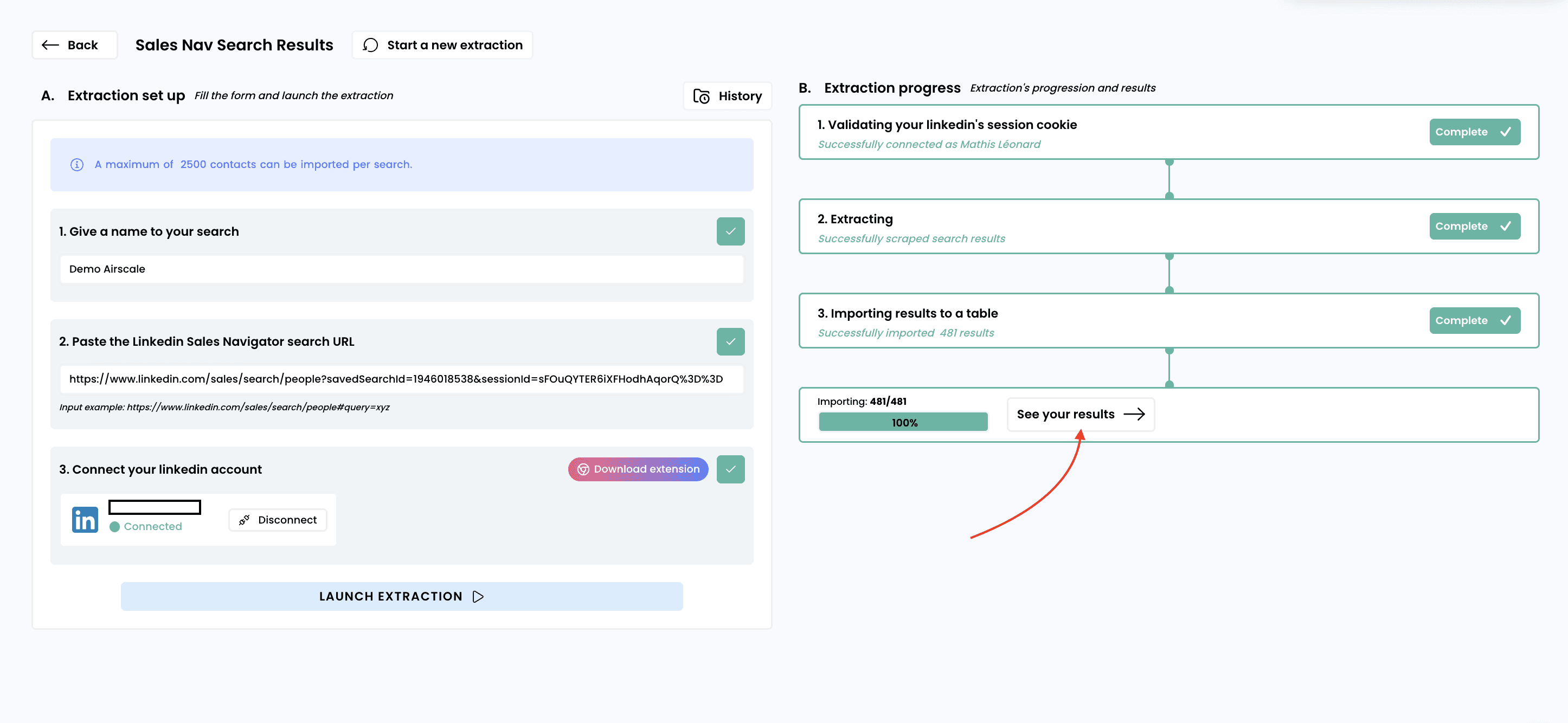
Click "LAUNCH EXTRACTION" to begin the scraping process
Monitor the progress in real-time on the right panel:
Validating your LinkedIn session cookie
Extracting (progress will show here)
Importing results to a table
Wait for completion — most extractions complete within 1–10 minutes
5. Access your results
Click "See your results" to view your new prospect table:
Output format:
Field | Data level | Description |
|---|---|---|
First Name | People | / |
Last Name | People | / |
Company Name | Company | / |
Job title | People | / |
Location | People | / |
Linkedin Profile URL | People | / |
Linkedin Company URL | Company | / |
Open? | People | / |
Premium? | People | / |
Need help? Contact Support
Questions? Contact Sales