Enrichments
Find professional emails
Find verified emails via Airscale's waterfall enrichment
Note: the required input to find an email is the combination of:
First name
Last name
Company name or company domain
OR
People LinkedIn URL
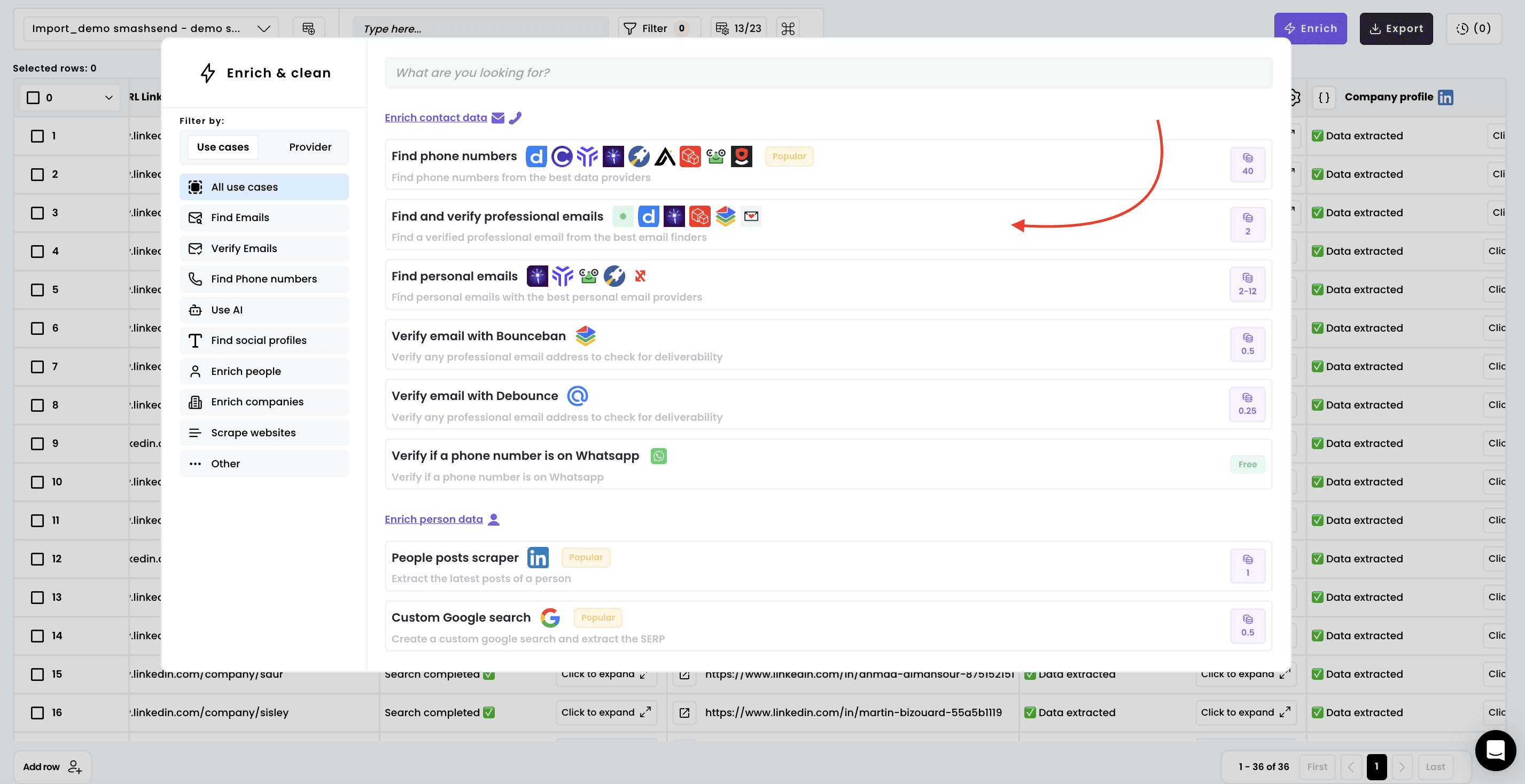
1. Select the enrichment
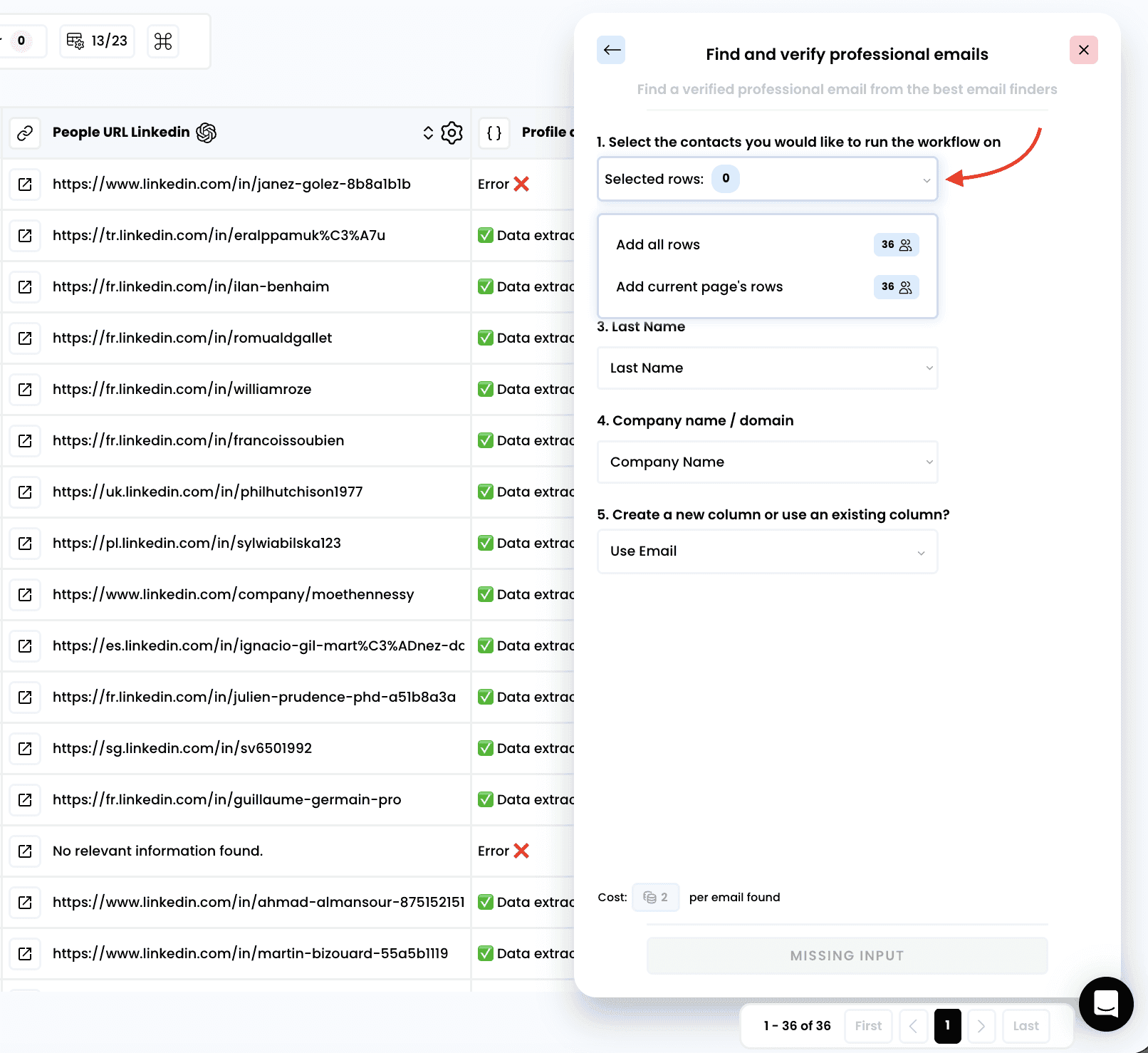
2. Select the rows to enrich
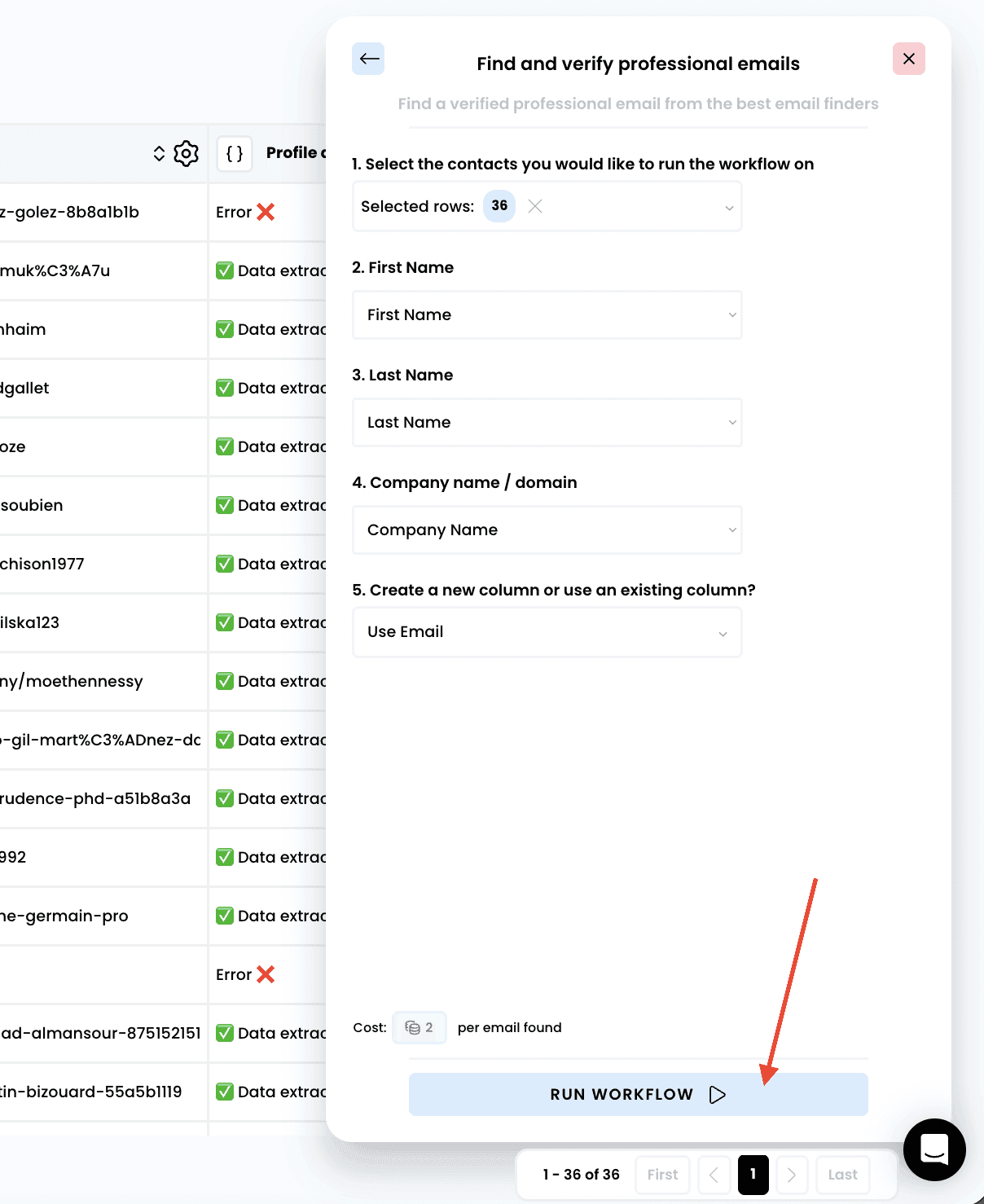
3. Run the workflow
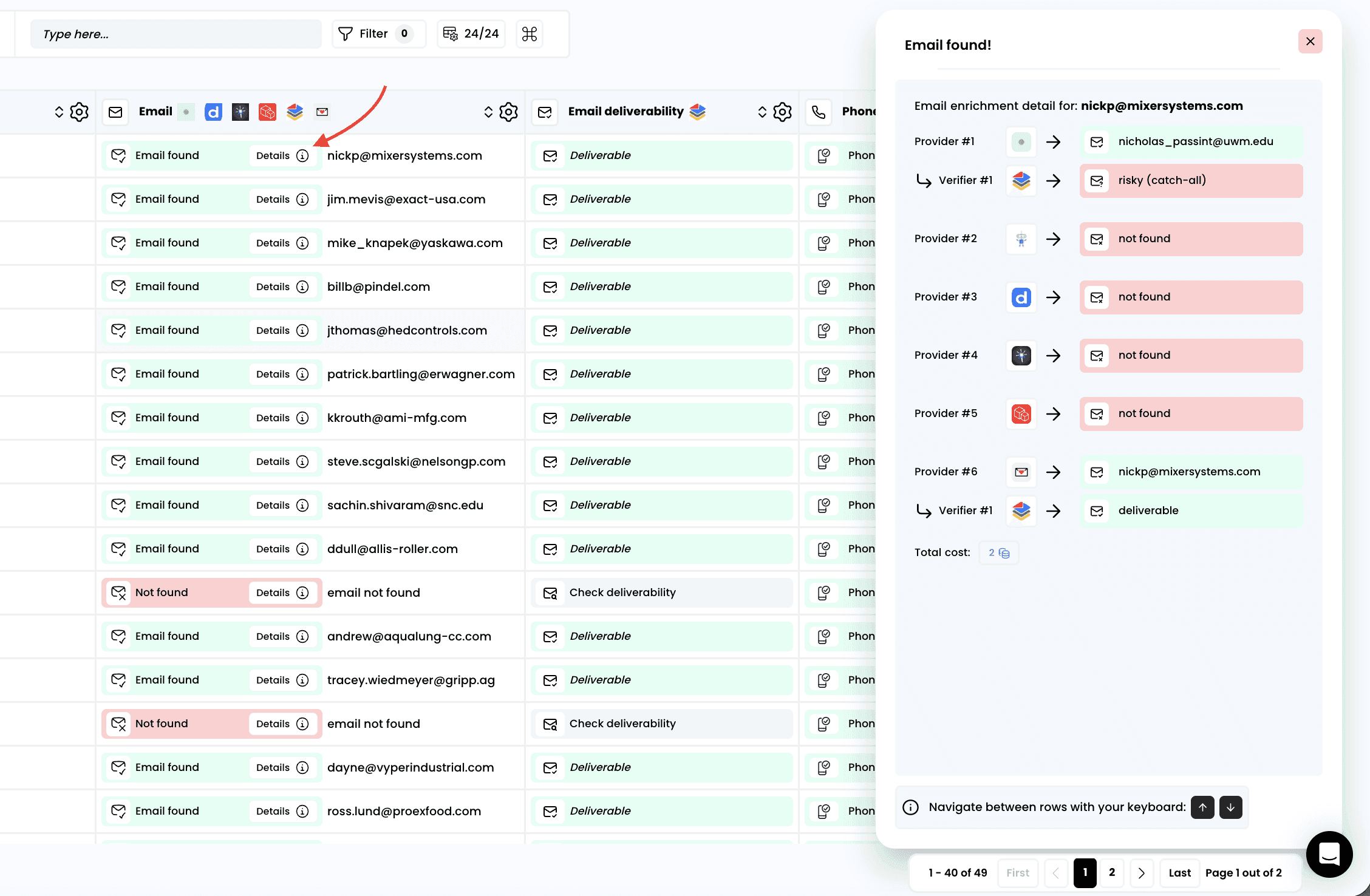
4. Access the results
Once the enrichment is complete, you can see which provider returned the verified email by clicking on "Details"
Note:
Email status indicators:
Deliverable: email exists and is safe to contact
Not found: no email address could be found
Risky: email found but deliverability uncertain (often catch-all domains)
Found: email address discovered and verified
Deliverability classifications:
Deliverable: high confidence — safe for outreach campaigns
Risky (Catch-All): use with caution: this domain accepts all emails, but the specific address may be invalid
Not Deliverable: remove from campaigns to protect sender reputation
Need help? Contact Support
Questions? Contact Sales