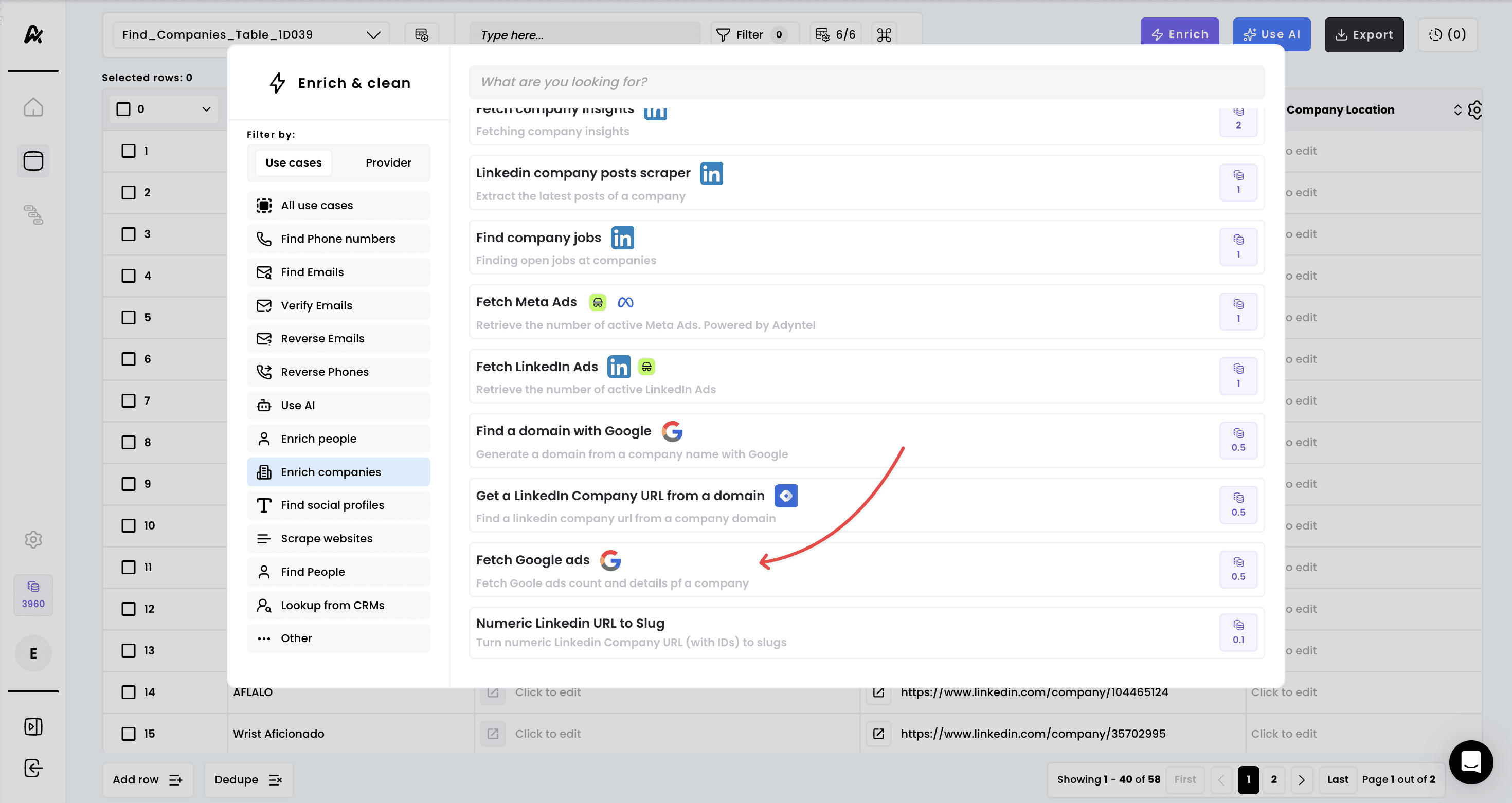
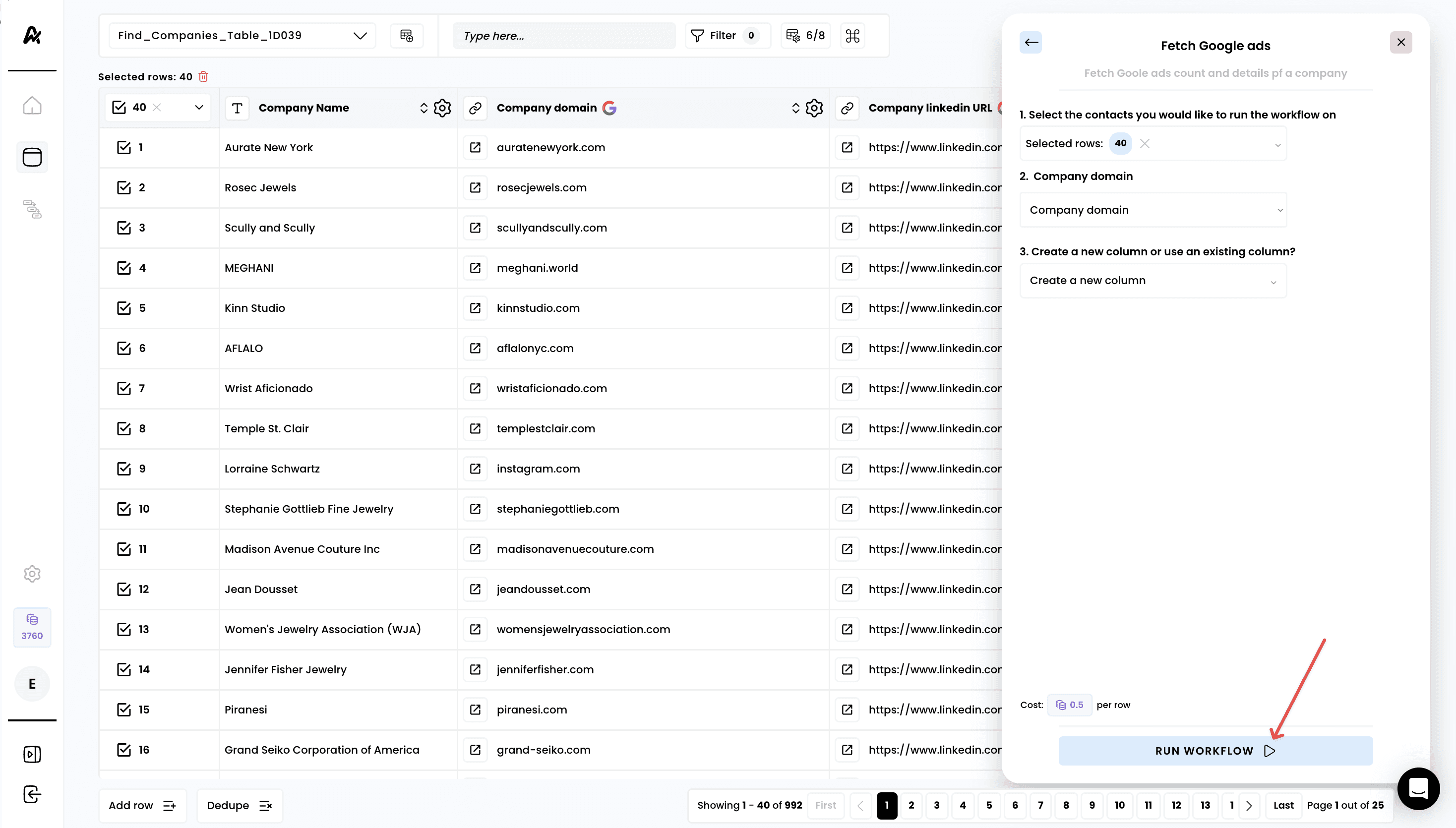
1. Select the enrichment
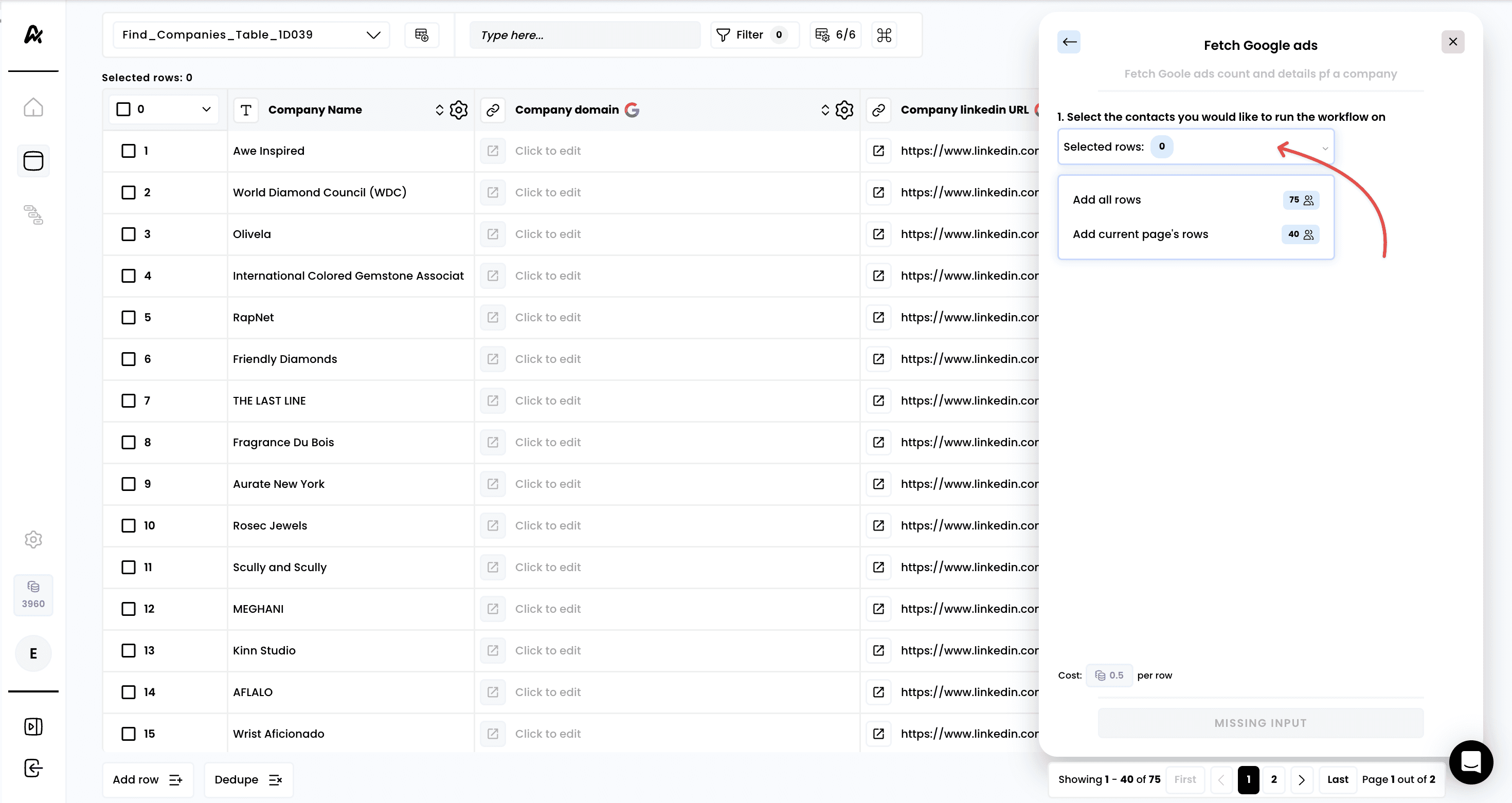
2. Select the rows to enrich
3. Select the correct input
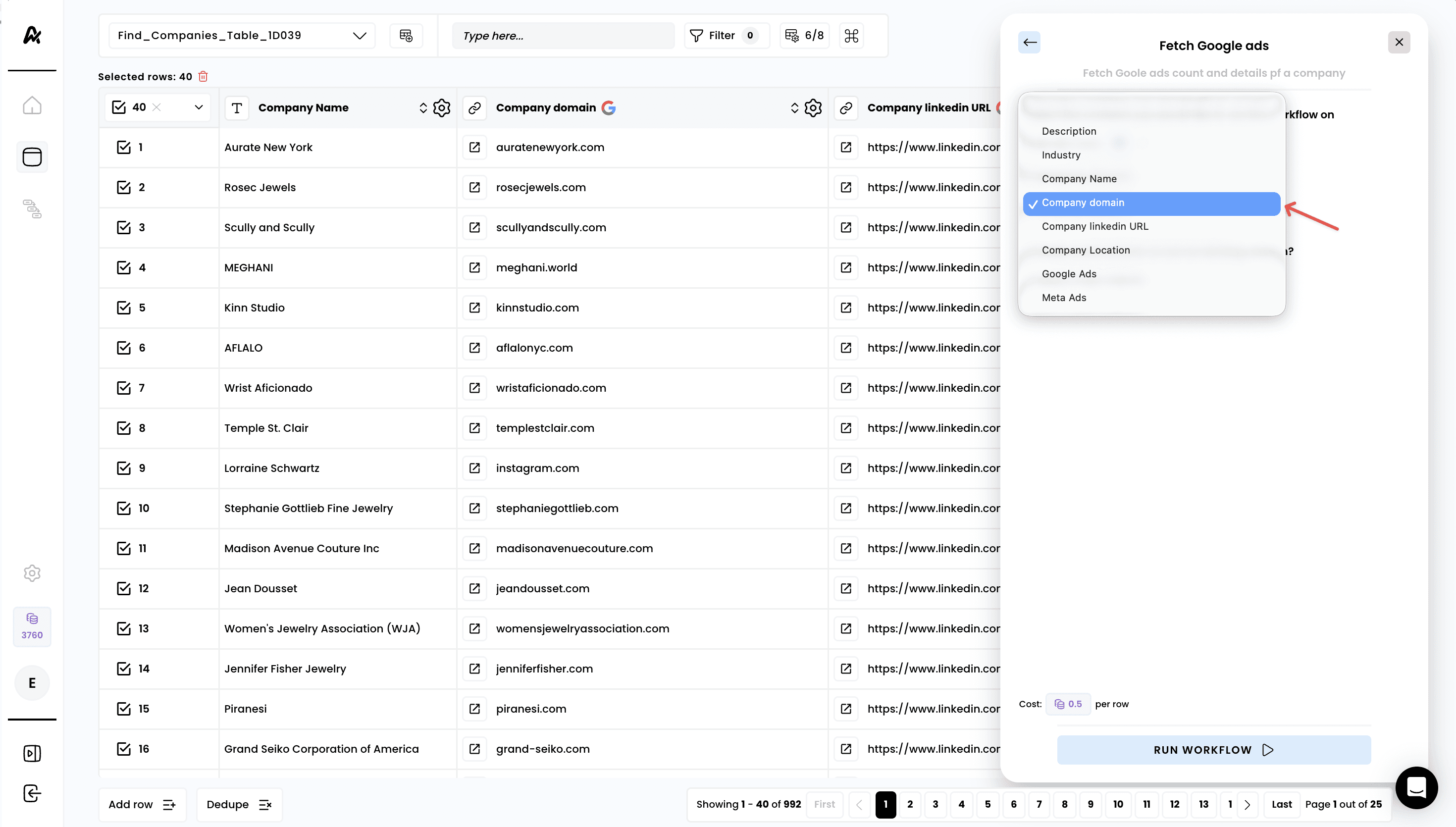
4. Run the workflow
5. Access the results
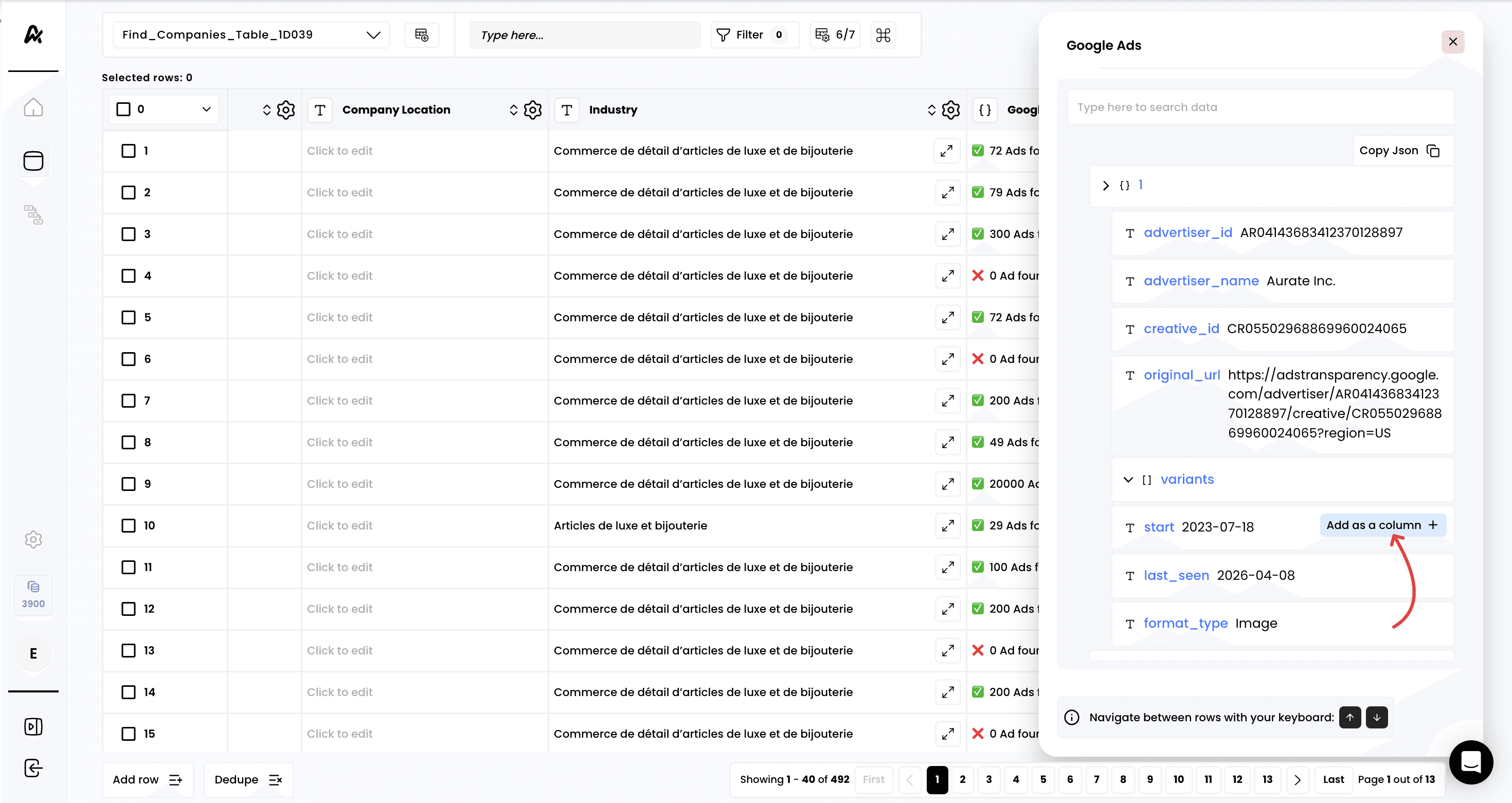
A new column is created automatically with the number of active ads. If you click on “Click to expand” you can access the detail of the enrichment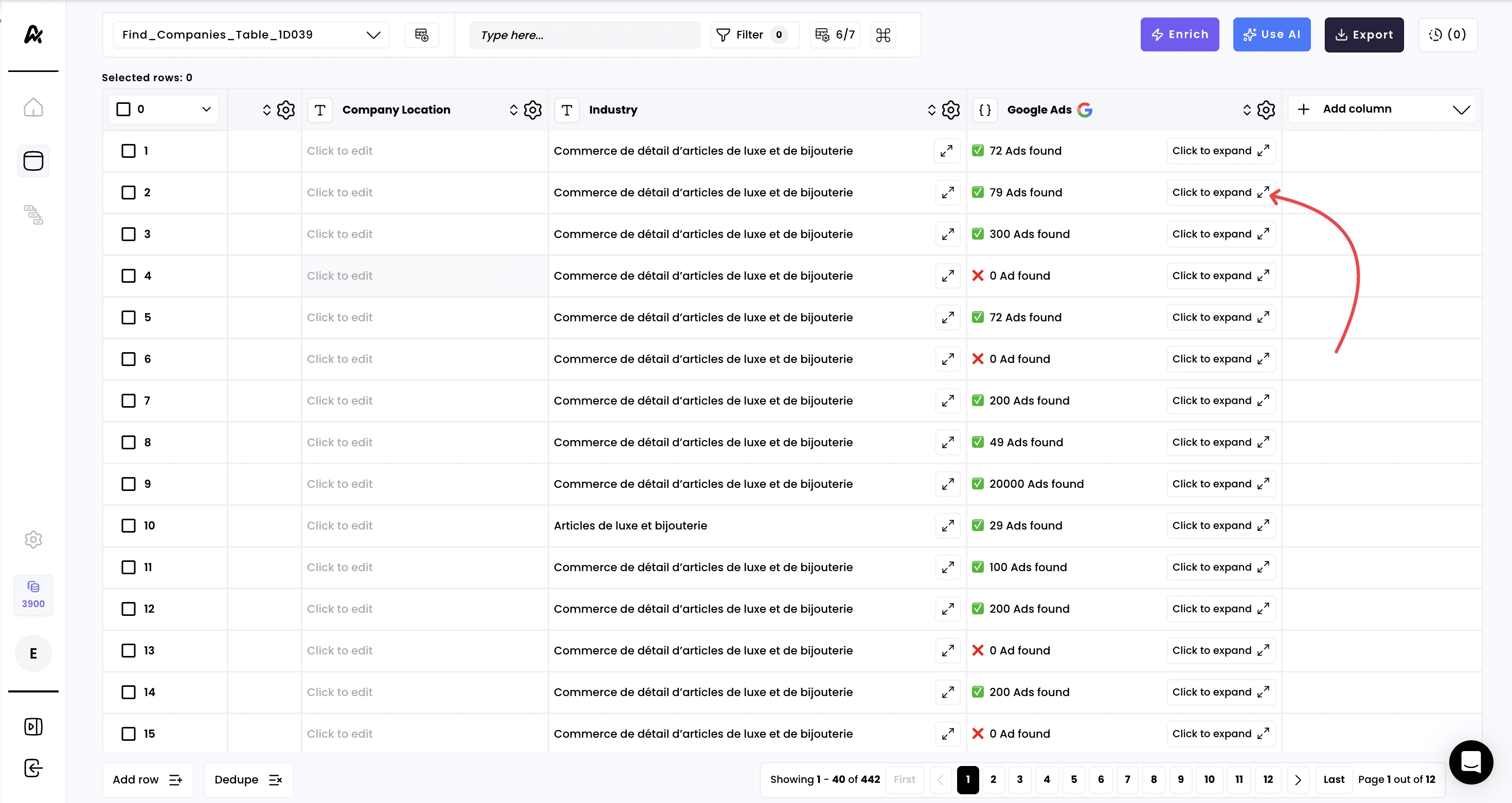
6. Add columns for any data points retrieved